A ceiling fan remote makes it easy to adjust fan speed, switch the light on or off, and control airflow without getting up. But when the remote suddenly stops working, even a perfectly good ceiling fan can become frustrating to use.
You press the power button, try changing the speed, or switch on the light, but nothing happens. Sometimes the remote’s indicator light works, yet the fan does not respond. In other cases, only certain buttons stop working while the rest continue to function.
So, why is your ceiling fan remote not working?
The problem could be something simple, such as weak batteries or a lost connection between the remote and receiver. It may also involve incorrect DIP switch settings, an incompatible replacement remote, or a faulty receiver inside the fan.
The good news is that you can check several common causes without taking the ceiling fan apart. This guide explains how to identify the problem, troubleshoot your remote safely, and determine when you may need a replacement or professional assistance.
Quick Answer: Why Is Your Ceiling Fan Remote Not Working?
A ceiling fan remote usually stops working because its batteries are weak, the remote has lost its connection with the receiver, or the fan is not receiving power.
Other possible causes include signal interference, mismatched DIP switches, incompatible replacement controls, damaged remote buttons, or a faulty receiver.
Here is a quick overview of common symptoms and their possible causes:
| What You Notice | Possible Cause |
|---|---|
| Remote indicator light does not turn on | Dead batteries, incorrect battery placement, or damaged remote |
| Indicator light works, but the fan does not respond | Pairing problem, receiver issue, or no power to the fan |
| Remote works only from very close range | Weak batteries, limited signal range, or interference |
| Fan runs, but speed buttons do not work | Incorrect pull-chain setting or control problem |
| Light works, but the fan does not spin | Fan control, receiver, or motor-related issue |
| Remote stopped working after a power outage | Lost pairing or electronic control problem |
| Remote controls another ceiling fan | Multiple fans may have been paired incorrectly |
| Only some remote buttons work | Stuck, worn, or damaged buttons |
Start with the batteries and basic external checks. There is usually no reason to open the ceiling fan or replace its receiver before checking the simpler possibilities.
9 Common Reasons Why Your Ceiling Fan Remote Is Not Working
Understanding what is causing the problem can save you time and prevent unnecessary replacement costs. Below are nine common reasons your ceiling fan remote may stop responding.
1. Dead or Weak Remote Batteries
Dead or weak batteries are among the first things to check when a ceiling fan remote stops working.
Even if the remote worked normally yesterday, its batteries may no longer have enough power to transmit a reliable signal. Sometimes the indicator light still turns on, creating the impression that the remote is working properly.
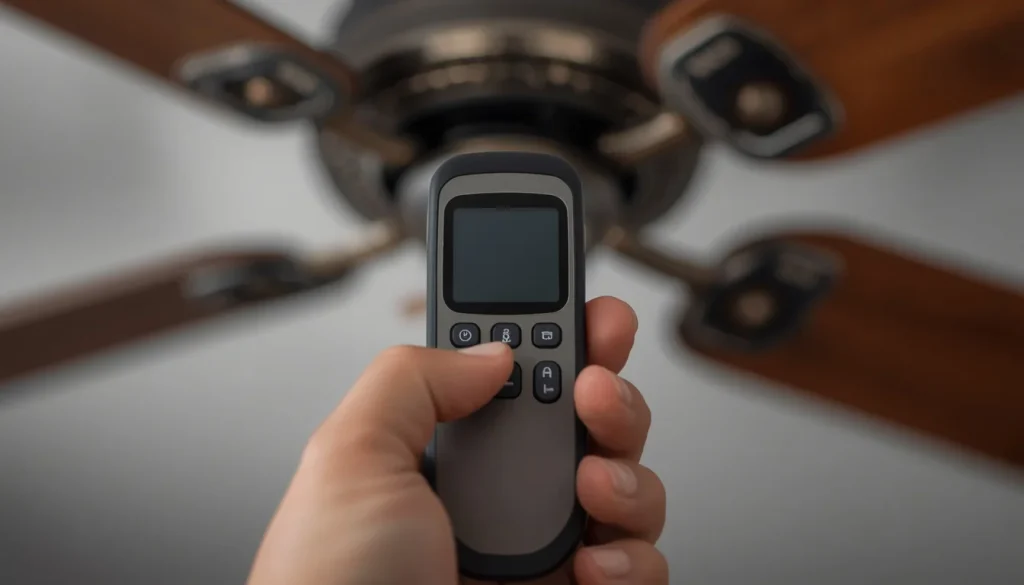
However, an illuminated indicator does not always mean the remote can send a strong enough signal to operate the receiver.
Signs of a battery problem:
- The remote works only occasionally.
- You need to press a button several times.
- The remote works only when you stand close to the fan.
- The indicator light looks dim or does not illuminate.
- The remote has become less responsive over time.
How to fix it:
- Remove the batteries from the remote.
- Check the battery compartment for corrosion, dirt, or damaged contacts.
- Install fresh batteries of the correct type.
- Make sure the positive (+) and negative (-) ends match the markings inside the compartment.
- Test the remote again.
Avoid mixing old and new batteries or using different battery types together.
If the remote still does not respond after installing fresh batteries, move on to the next troubleshooting step.
2. The Ceiling Fan Remote Is Out of Range
A wireless ceiling fan remote needs to communicate with a receiver installed inside or near the fan. If the remote is too far away or its signal is obstructed, the fan may not respond.
This is particularly noticeable in large living rooms, open-plan spaces, and rooms with multiple ceiling fans.
Some remotes also become less reliable when their batteries are weak.
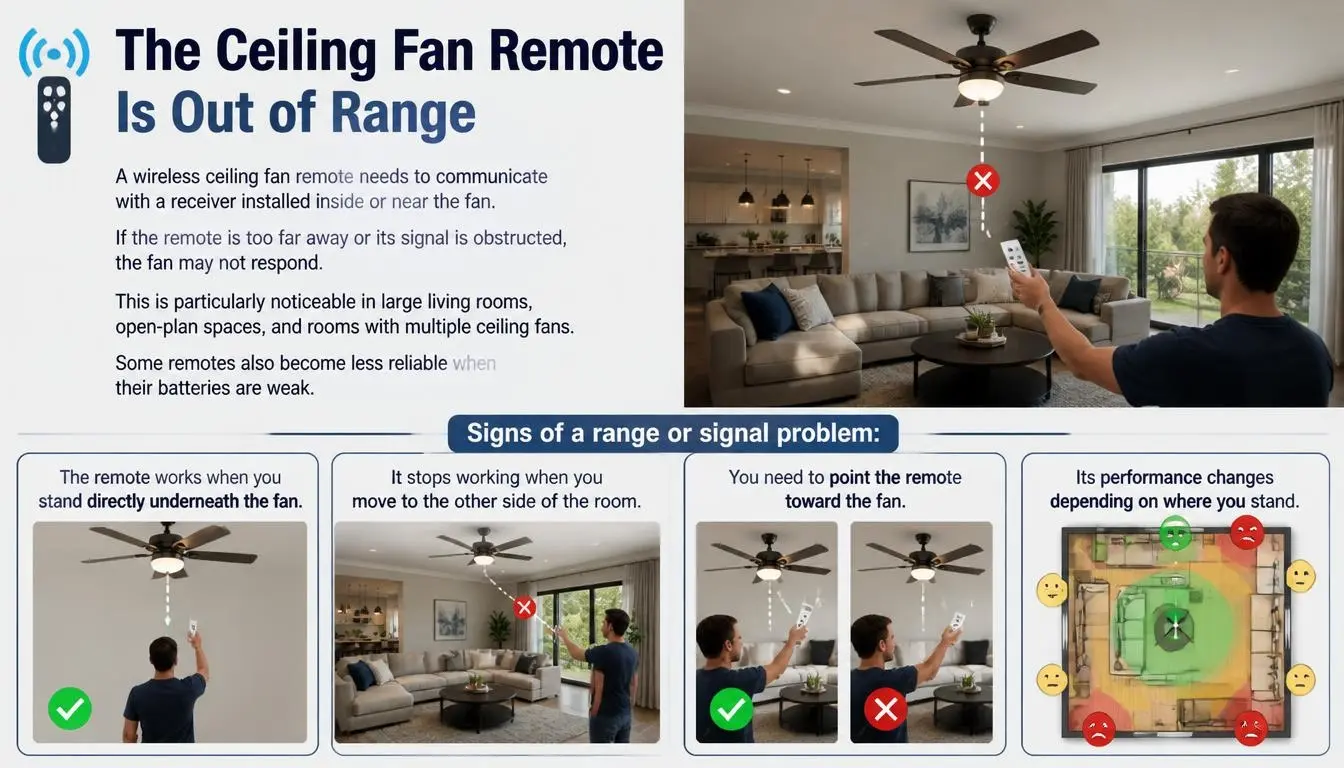
Signs of a range or signal problem:
- The remote works when you stand directly underneath the fan.
- It stops working when you move to the other side of the room.
- You need to point the remote toward the fan.
- Its performance changes depending on where you stand.
How to fix it:
Try these simple checks:
- Stand approximately 10 to 20 feet from the ceiling fan and test the remote.
- Move closer if the fan does not respond.
- Remove obvious obstructions between the remote and the fan.
- Replace weak batteries.
- Test the remote from a few different positions.
The actual operating range depends on the remote and fan model. The distance above is a practical starting point for troubleshooting, not a guaranteed specification.
You can also review The Home Depot’s ceiling fan remote troubleshooting guide for additional information about remote range and signal problems.
3. The Wall Switch Is Turned Off or the Fan Has No Power
A remote-controlled ceiling fan still needs electricity to operate.
Many homeowners assume that pressing the remote’s power button is enough to turn on the fan. However, if the main wall switch is off or the electrical supply has been interrupted, the receiver cannot respond to remote commands.
This can make the remote appear faulty even when it is working correctly.
Possible reasons include:
- The wall switch is turned off.
- A circuit breaker has tripped.
- A local isolation switch is off, where fitted.
- The fan’s electrical supply has been interrupted.
- A problem has developed with the wall control.
How to fix it:
- Check whether the ceiling fan’s wall switch is turned on.
- If the fan has a separate isolation switch, make sure it is in the correct position.
- Check whether other lights or electrical devices in the room are receiving power.
- Look for an obviously tripped circuit breaker, following your electrical panel’s instructions.
- If a breaker trips again after being reset, leave it off and contact a qualified electrician.
The electrical panel may be called a breaker panel in the USA or Canada, a consumer unit in the UK, or a switchboard in Australia.
If the fan remains completely unresponsive, the problem may involve something beyond the remote. Our guide to why a ceiling fan is not working covers other common power, switch, and internal control problems.
4. The Remote and Receiver Have Lost Their Pairing
A ceiling fan remote communicates with a receiver that interprets its commands and controls the fan’s motor, light, or both.
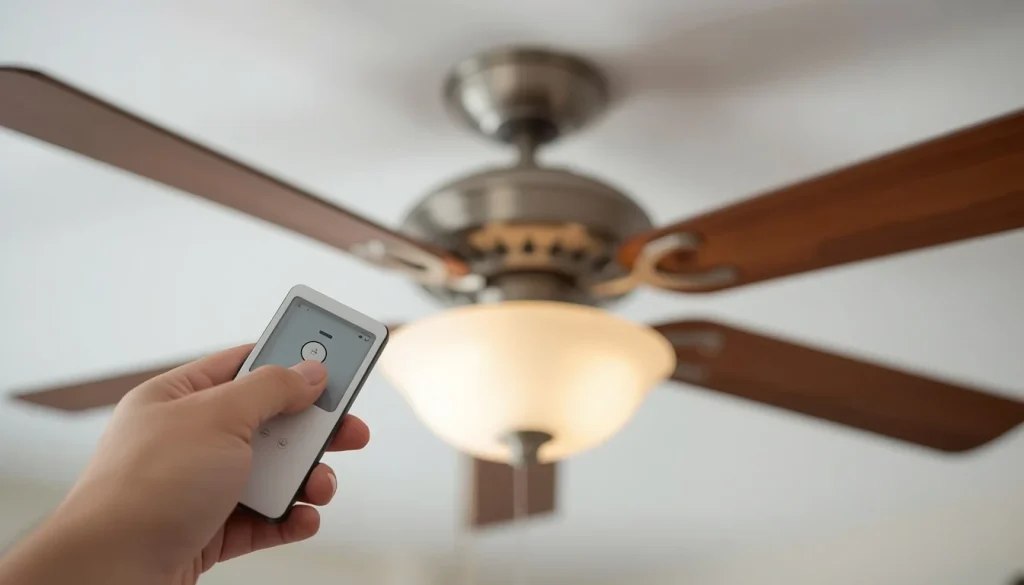
For the system to work, the remote and receiver must be correctly paired.
Sometimes this connection is lost. It may happen after a power interruption, an electronic control reset, a replacement remote installation, or an incorrect pairing attempt.
Common signs of a pairing problem:
- The remote indicator light works, but the fan does not respond.
- The remote stopped working after a power outage.
- The fan worked normally before someone changed its control settings.
- A recently replaced remote cannot operate the fan.
How to fix it:
The pairing process varies between ceiling fan models, so there is no single reset procedure that works for every remote.
A sensible approach is:
- Find the ceiling fan’s brand and model number.
- Locate the manufacturer’s operating instructions.
- Check whether the remote has a dedicated PAIR or LEARN button.
- Follow the model-specific instructions for restoring the remote connection.
- Test the fan speed and light controls after pairing.
Some remotes require you to restore power and send a pairing command within a short time window. Others use DIP switches or a different programming method.
For example, Hunter’s ceiling fan remote pairing instructions show different procedures for different remote series. Following the correct model-specific instructions is important because some pairing commands can also disconnect an already paired remote.
5. Remote and Receiver DIP Switch Settings Do Not Match
Some ceiling fan remote systems use small switches called DIP switches to establish a matching communication code between the remote and receiver.
If the settings do not match, the receiver may not recognize commands from the remote.
This problem is more common with certain older remote systems and compatible replacement controls. Many modern ceiling fans use different pairing methods.
Signs of incorrect DIP switch settings:
- The remote suddenly stops controlling the fan after a replacement.
- A replacement remote powers on but does not communicate with the receiver.
- The remote and receiver have different code settings.
- The remote controls a different fan with a similar control system.
How to fix it:
First, check the owner’s manual to determine whether your model actually uses DIP switches.
If it does:
- Identify the correct code settings in the manufacturer’s instructions.
- Check the settings on the remote.
- Confirm that the receiver uses matching settings.
- Follow the manufacturer’s safety instructions before checking any receiver-side switches.
Never assume that all ceiling fan remotes use DIP switches. Some systems use electronic pairing instead.
If the receiver switches are located inside the fan canopy or electrical housing, do not open the housing or handle its wiring yourself. Have a qualified professional inspect them.
6. You Are Using an Incompatible Replacement Remote
Not all ceiling fan remotes are interchangeable.
A remote that looks similar to your original control may use a different frequency, communication system, receiver, or programming method.
This is especially important when buying a universal remote or replacing a lost remote.
Why a replacement remote may not work:
- It is designed for a different fan model.
- Its communication system is incompatible with the existing receiver.
- Its programming method does not match the fan.
- The replacement kit requires a new receiver.
- The fan uses a dedicated electronic control system.
DC ceiling fans require particular attention. Many use dedicated electronic controllers and remotes designed specifically for their control systems. A universal AC fan remote should not be assumed to work with a DC model.
The Hampton Bay ceiling fan troubleshooting guide from The Home Depot also explains that DC motor fans require compatible DC remote controls.
Before buying a replacement, check the fan’s brand, model number, original remote part number, and receiver compatibility.
If you own a DC model, our guide to DC ceiling fans and how they differ from AC models explains why their electronic controls and replacement components may differ.
7. The Pull Chain Is Set Incorrectly
Some ceiling fans use both a wireless remote and traditional pull chains.
The remote may control the fan’s speed, while the pull chain acts as an additional manual control. Depending on the fan’s design, an incorrect pull-chain setting can prevent the remote from controlling the motor or light properly.
For example, certain pull-chain fans fitted with an accessory remote require the motor speed chain to remain in the highest-speed position.
Signs of an incorrect pull-chain setting:
- The fan operates manually but does not respond properly to the remote.
- The remote cannot change the fan speed.
- The light works, but the motor does not respond as expected.
- The fan remains on one speed.
How to fix it:
- Check whether your ceiling fan has a motor pull chain.
- Identify the manufacturer’s recommended setting for remote operation.
- If the manual specifies a particular motor speed, set the pull chain accordingly.
- Check the light pull chain separately if the fan has one.
- Test the remote again.
Do not pull a damaged, jammed, or loose chain forcefully. If the internal pull-chain switch appears faulty, arrange professional inspection.
You can find this recommendation in Hunter Fan’s remote troubleshooting instructions, which explain why certain pull-chain fans with accessory remotes need their speed setting adjusted.
8. The Ceiling Fan Remote Receiver Is Faulty
If the batteries, pairing, and compatibility are all correct, the problem may be the receiver.
The receiver is an electronic component that receives commands from the remote and passes the appropriate signals to the fan’s motor and light.
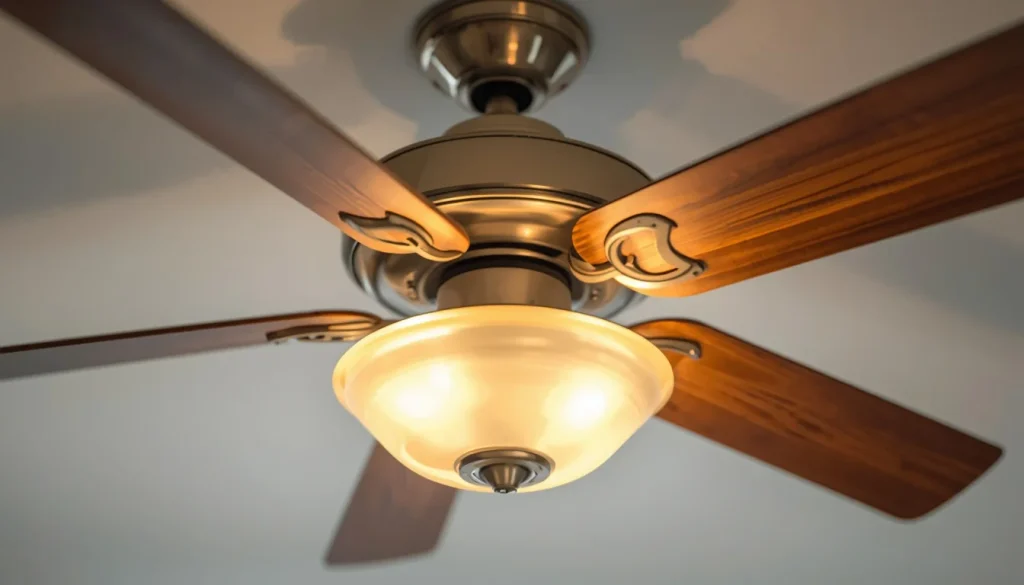
Depending on the model, it may be located inside the canopy or another part of the fan assembly.
When the receiver develops a fault, the remote may appear to work normally even though the fan does not respond.
Possible signs of a faulty receiver:
- The remote indicator light works, but the fan does not respond.
- Fresh batteries make no difference.
- Correct pairing instructions do not restore operation.
- The fan and light both stop responding when controlled by the same receiver.
- The remote works with another compatible fan but not with the original one.
What should you do?
Start by confirming that the fan has power and the remote is compatible with its control system.
If the problem continues, the receiver may need professional inspection or replacement.
Do not remove the canopy, expose the receiver wiring, or attempt to test internal electrical connections while the fan is connected to the electrical supply.
A replacement receiver must be compatible with the specific fan model. Installing an unsuitable receiver can create further control problems or damage the equipment.
9. The Remote Control Buttons or Internal Components Are Damaged
Sometimes the receiver and fan are perfectly fine. The remote itself may be damaged.
Repeated use, accidental drops, moisture, dirt, and worn internal contacts can affect the buttons and electronic components.
In some cases, the remote works for basic functions but fails when you try to change the speed or operate the light.
Common warning signs:
- One or more buttons do not respond.
- A button feels stuck or unusually loose.
- The indicator light stays on continuously.
- The remote was dropped or exposed to moisture.
- Fresh batteries do not restore reliable operation.
How to fix it:
- Check whether any button is physically stuck.
- Remove the batteries before cleaning the outside of the remote.
- Wipe the remote with a dry, soft cloth.
- Check the battery contacts for visible corrosion.
- Replace the remote if its buttons or internal electronics are damaged.
Do not pour cleaning liquid into the remote or attempt to repair its internal electronic circuit.
If only one button has stopped working, replacing the complete remote may be more practical than trying to repair an inexpensive electronic control.
Ceiling Fan Remote Not Working? Identify the Problem by Its Symptoms
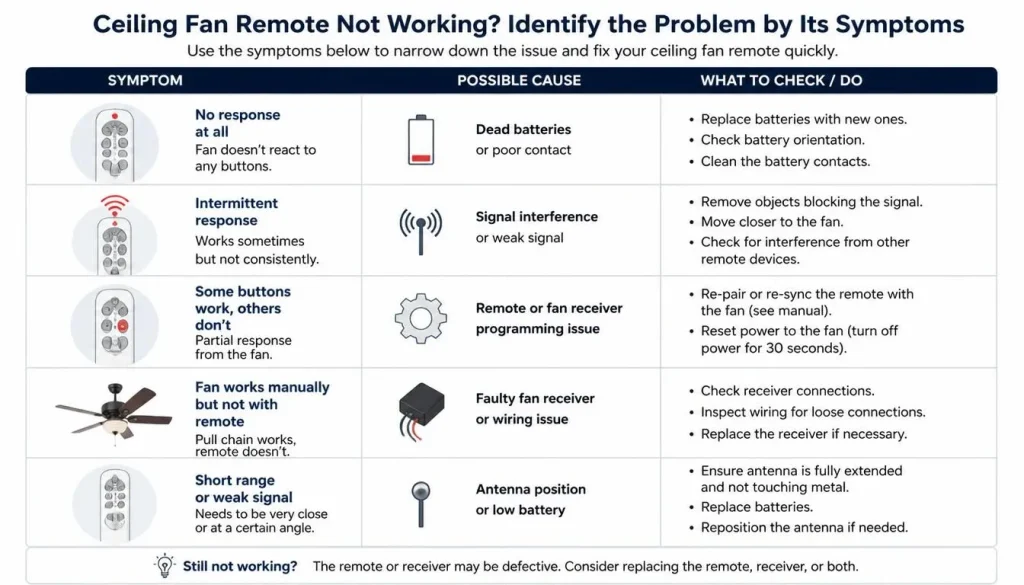
Sometimes the remote does not fail completely. Instead, one particular function stops responding.
Identifying exactly what happens can help you avoid replacing the wrong component.
Remote Light Works but Fan Does Not
If the remote’s indicator light illuminates but the fan does not start, it means only that the remote has some electrical power. It does not confirm that its signal is reaching the receiver.
Possible reasons include:
- Lost remote-receiver pairing.
- Weak batteries.
- Incorrect remote compatibility.
- A faulty receiver.
- No electrical power reaching the fan.
Start by replacing the batteries and checking the main wall switch. Then follow the correct pairing procedure for your model.
If the problem continues, the receiver may require professional inspection.
Fan Works but Remote-Controlled Light Does Not
If the fan operates normally but the light does not respond, the problem may be limited to the light-control function.
Check the following:
- Is the light button physically damaged?
- Does the light work through a separate pull chain or wall switch?
- Does the remote need to be paired again?
- Is the installed bulb compatible with the fan’s light-control system?
- Could there be a separate light-kit problem?
If the light does not operate through any control, the issue may be with the bulb, light kit, or its electrical connections rather than the remote.
Ceiling Fan Speed Buttons Are Not Working
If the remote turns the fan on and off but cannot change its speed, the issue may involve the speed-control function.
Possible causes include:
- A damaged speed button.
- An incorrect pull-chain setting.
- A receiver or electronic control problem.
- An incompatible wall controller or replacement remote.
First, test every available speed setting. If the fan remains at one speed despite using the correct controls, the issue may go beyond the remote.
For further diagnosis, see our guide to why a ceiling fan runs slowly and how to fix it.
Ceiling Fan Remote Only Works Sometimes
An intermittently working remote can be particularly frustrating because it may appear to fix itself.
Common reasons include weak batteries, inconsistent signal reception, damaged buttons, or an electronic control problem.
Try replacing the batteries and testing the remote at different distances. Check whether a particular button fails more frequently than the others.
If the remote continues to respond unpredictably, the transmitter or receiver may need professional assessment.
Ceiling Fan Remote Is Controlling Another Fan
If one remote operates two ceiling fans, the fans may have become paired to the same transmitter or may share compatible control settings.
This is more likely when two or more remote-controlled fans are installed close together.
How to address the problem:
- Identify the model and pairing method for each fan.
- Read the manufacturer’s instructions for controlling multiple fans.
- Follow its procedure for pairing each fan separately.
- If instructed, disconnect power to other nearby fans while pairing the intended fan.
- Test each remote and fan individually.
Do not randomly change DIP switches or repeatedly press pairing buttons. On some models, the same command can pair or unpair a control.
For example, Hunter’s remote pairing instructions explain why the correct model-specific pairing process matters.
How to Troubleshoot a Ceiling Fan Remote That Is Not Working
If you are unsure where to begin, follow this sequence. It starts with simple external checks and avoids unnecessary work inside the fan.
Step 1: Check the Fan’s Main Power Supply
Make sure the wall switch is turned on and the ceiling fan is receiving power.
Check whether other electrical devices in the room are working. If you find a repeatedly tripping breaker, burning smell, or signs of electrical damage, stop using the fan and contact a qualified electrician.
Step 2: Replace the Remote Batteries
Install fresh batteries of the correct type.
Check the positive and negative markings carefully. Then test the indicator light and the fan controls again.
Step 3: Test the Remote Close to the Fan
Stand approximately 10 to 20 feet away and test the remote.
Move closer if necessary. If the remote works only at very close range, investigate the batteries, signal range, and possible obstructions.
Step 4: Check the Remote Indicator Light and Buttons
Press each button separately.
Notice whether the indicator light responds and whether certain buttons fail more often than others.
Remember that an indicator light only shows that the remote has power. It does not prove that the receiver is accepting its commands.
Step 5: Check Whether the Remote Needs Re-Pairing
Find the manufacturer’s instructions for your exact model.
Follow the correct pairing or reset procedure. Avoid using a random button combination found online for a different fan.
Step 6: Check DIP Switch Settings If Your Model Uses Them
Some older remotes use DIP switches to match the transmitter and receiver.
Check the owner’s manual before changing anything. If inspecting the receiver requires opening the fan’s electrical housing, leave that work to a qualified professional.
Step 7: Confirm Remote and Receiver Compatibility
If you recently purchased a replacement remote, check its model number and compatibility.
Do not assume a universal remote will work with every AC or DC ceiling fan.
Step 8: Consider Professional Receiver Inspection
If the fan still does not respond after these checks, the receiver or another internal control component may be faulty.
A qualified technician or electrician can identify the actual problem and determine whether a replacement part is necessary.
How to Reset or Reprogram a Ceiling Fan Remote
Resetting or re-pairing a ceiling fan remote may restore communication between the remote and receiver.
However, the exact process depends on the manufacturer’s design. Some use a PAIR button, some use a LEARN button, and others use DIP switches or a specific button combination.
Before Resetting Your Ceiling Fan Remote
Before starting, make sure you know:
- The ceiling fan’s brand and model number.
- The remote’s model or part number.
- Whether the control uses a PAIR or LEARN button.
- Whether the system uses DIP switches.
- Whether the manufacturer provides a model-specific reset procedure.
You can usually find the model number on the product label, original packaging, warranty documents, or owner’s manual.
General Remote Reset and Pairing Process
The following steps explain the general process. They are not a universal button sequence.
- Check the manufacturer’s manual for the correct reset procedure.
- Make sure the remote has fresh batteries.
- Follow the manual’s instructions for switching the fan’s power off and restoring it.
- If the model has a dedicated pairing button or button combination, use it exactly as instructed.
- Pay attention to any pairing time window specified by the manufacturer.
- Wait for the fan’s confirmation signal, such as a light flash or beep, if the model provides one.
- Test the light and each available fan speed.
Some models require the pairing command shortly after power is restored. Others use a different process altogether.
For a practical example, Hunter’s model-specific pairing guide shows how different remote series use different controls and timing.
One important warning: do not repeatedly press pairing buttons without checking the instructions. Some systems use a toggle command that can disconnect a remote that was already paired.
How to Tell Whether the Problem Is the Remote or the Receiver
The remote and receiver work together, so their symptoms can sometimes look similar.
A few basic observations can help narrow down the problem.
Signs That the Remote May Be Faulty
The remote itself may be damaged if:
- Its indicator does not illuminate with fresh batteries.
- Some buttons work while others do not.
- Its buttons are stuck or physically damaged.
- It has been exposed to moisture.
- It fails to operate a compatible fan despite correct pairing.
Signs That the Receiver May Be Faulty
A receiver problem becomes more likely if:
- The remote has fresh batteries.
- The correct pairing procedure has been followed.
- The fan has a confirmed power supply.
- The remote is compatible with the fan.
- The fan still does not respond.
These symptoms do not prove that the receiver has failed. An internal control board, wiring issue, or another component may produce similar behavior.
When to Contact the Manufacturer
Before purchasing a new receiver, contact the fan manufacturer or an authorized service provider.
Have the model number, remote part number, and a description of the symptoms ready. They may be able to confirm the correct replacement part or provide instructions specific to your fan.
Should You Replace the Ceiling Fan Remote or the Receiver?
The right replacement depends on which component has actually failed.
Replacing both parts when only the remote is damaged can be an unnecessary expense. On the other hand, buying a new remote will not solve a receiver problem.
When Replacing Only the Remote May Be Enough
Consider a replacement remote when:
- Its buttons are physically damaged.
- The battery contacts are badly corroded.
- The transmitter is no longer working.
- The manufacturer confirms that the receiver is compatible with a replacement remote.
Choose a remote designed for your exact fan model or an officially approved compatible control.
When the Receiver May Also Need Replacement
A receiver may need attention if:
- The correct remote cannot communicate with it.
- Pairing repeatedly fails despite following the correct instructions.
- The manufacturer or technician identifies a receiver fault.
- The receiver has visible damage or signs of overheating.
Receiver replacement involves work inside the fan’s electrical housing. Have a qualified person handle the inspection and installation.
Can You Use a Universal Ceiling Fan Remote?
Sometimes, but not with every ceiling fan.
Universal remotes are designed to work with certain control systems, not every fan on the market.
Some universal remote kits include a replacement receiver that must be installed with the remote. In those cases, the original receiver may not be compatible with the new control.
Before purchasing one, check:
- Whether the kit supports your fan’s motor type.
- Whether a replacement receiver is included.
- Whether the receiver is compatible with the fan’s electrical and control specifications.
- Whether the manufacturer approves the installation.
Do DC Ceiling Fans Need Special Remotes?
Many DC ceiling fans use dedicated electronic controllers and compatible remote controls.
This means you should not assume that a remote designed for a conventional AC ceiling fan will work with a DC model.
Check the fan’s exact model number and its approved replacement parts before buying anything.
When Should You Call a Qualified Electrician?
Basic external checks, such as replacing batteries and checking the wall switch, are usually straightforward.
However, electrical work inside a ceiling fan can be dangerous, particularly when the receiver, wiring, or internal control system needs inspection.
Contact a qualified electrician or appropriate service professional if:
- You notice a burning smell or visible scorch marks.
- The fan produces sparks or smoke.
- The breaker trips repeatedly.
- You suspect damaged wiring.
- The receiver or internal electrical components need inspection.
- The fan remains unresponsive after basic checks.
- You are unsure how to safely investigate the problem.
Never remove the canopy or handle internal wiring while the fan is connected to the electrical supply.
For additional guidance, review the Electrical Safety Foundation International’s DIY electrical safety advice and Electrical Safety First’s advice for DIY electrical work.
In Australia, the NSW Government’s home electrical safety guidance also explains why electrical wiring work should be handled by a licensed electrician.
How to Prevent Ceiling Fan Remote Problems in the Future
You cannot prevent every electronic fault, but a few simple habits can help your remote and receiver remain reliable.
Use the correct batteries: Always check the remote’s manual before replacing its batteries. Use the recommended type and install them correctly.
Avoid mixing batteries: Do not mix old and new batteries or different battery types.
Keep the remote dry: Moisture can damage electronic contacts and internal components. Keep the remote away from water and damp areas.
Avoid dropping the remote: Repeated drops can damage internal connections or buttons, even when the outside casing looks fine.
Keep the owner’s manual: The manual contains important information about pairing, reset procedures, replacement parts, and compatible accessories.
Use compatible replacement controls: Check the model number before buying a new remote or receiver.
Avoid unnecessary changes to DIP switches: Changing the settings without understanding the system can create additional pairing problems.
Address problems early: If the remote starts responding inconsistently, check the batteries and basic controls rather than waiting until it stops working completely.
Frequently Asked Questions
Why Is My Ceiling Fan Remote Not Responding?
A ceiling fan remote may stop responding because of weak batteries, lost pairing, signal problems, incompatible controls, or a faulty receiver. Start by replacing the batteries, checking the wall switch, and testing the remote closer to the fan.
How Do I Reset My Ceiling Fan Remote?
The reset process depends on the fan’s brand and model. Some remotes use a PAIR or LEARN button, while others use a specific button combination or DIP switches. Check the owner’s manual and follow the correct instructions rather than using a generic reset sequence.
Why Is My Ceiling Fan Remote Light Working but the Fan Is Not?
The indicator light only shows that the remote has power. The fan may still fail to respond because of a pairing issue, incompatible remote, receiver fault, or interrupted power supply.
Why Does My Ceiling Fan Remote Only Work Sometimes?
Intermittent operation may be caused by weak batteries, signal interference, limited range, damaged buttons, or a problem with the receiver. Replace the batteries first and test the remote at different distances.
Why Is My Ceiling Fan Remote Controlling Another Fan?
Two nearby fans may have been paired to the same remote or configured with compatible control settings. Check the manufacturer’s multiple-fan pairing instructions and pair each fan separately where the system supports it.
Can One Remote Control Two Ceiling Fans?
Some compatible ceiling fan systems allow one remote to control multiple fans, but this depends on the manufacturer’s design. Check the manual before attempting to pair multiple fans to one remote.
Why Are Some Ceiling Fan Remote Buttons Not Working?
Individual buttons may stop working because of physical damage, dirt, worn contacts, or internal electronic faults. Check whether the affected buttons are stuck. If cleaning the exterior and replacing the batteries do not help, the remote may need replacement.
Can I Use a Universal Remote for Any Ceiling Fan?
No. Universal remotes support certain fan control systems and may require a compatible receiver. Check the remote’s specifications and your fan’s model before purchasing one.
Do DC Ceiling Fans Need Special Remote Controls?
Many DC ceiling fans require dedicated compatible electronic controllers. A conventional AC fan remote may not work with a DC model. Always check the manufacturer’s approved replacement parts.
Can a Bad Receiver Stop a Ceiling Fan Remote From Working?
Yes. A faulty receiver can prevent a fan from responding even when the remote has fresh batteries and is correctly paired. However, similar symptoms can result from power or other control problems, so confirm the issue before replacing the receiver.
Final Thoughts
When a ceiling fan remote stops working, it is easy to assume that the remote itself is broken. However, the real cause may be something as simple as weak batteries or an interrupted connection between the remote and receiver.
Start with the easiest checks: replace the batteries, confirm that the wall switch is on, test the remote closer to the fan, and check the model-specific pairing instructions.
If the problem continues, look into remote compatibility and the possibility of a faulty receiver. Avoid replacing parts until you have a reasonable idea of what has actually failed.
Most importantly, do not open the fan’s electrical housing or attempt internal wiring repairs without the appropriate qualifications.
A careful diagnosis can help you avoid unnecessary replacement costs, restore reliable remote operation, and keep your ceiling fan working safely.

“The right fan can make a bigger difference than you think.”
Hi, I’m Michael Turner, an author and home appliance researcher at BestFanSolve.com.
My interest in fans started with a simple question: How do you know which fan is actually right for your needs? With so many types, features, brands, and technical specifications available, choosing a fan can quickly become confusing. I created BestFanSolve.com to make that process easier.
Through this website, I share practical fan reviews, buying guides, comparisons, troubleshooting tips, maintenance advice, and solutions to common fan problems. I focus on turning complicated product information into clear, useful guidance that everyday readers can actually understand and use.
Whether you’re searching for a quiet bedroom fan, a powerful fan for a large room, an energy-efficient option, or simply trying to figure out why your current fan isn’t working properly, my goal is to help you find the information you need before making a decision.
I believe good recommendations should be based on research, real-world considerations, honest pros and cons, and the specific needs of the user—not simply marketing claims.
Through BestFanSolve.com, I’m committed to helping readers find the right fan, solve common fan problems, and make smarter purchasing decisions with confidence.
— Michael Turner
Author & Home Appliance Researcher
BestFanSolve.com