A ceiling fan that suddenly stops working can be frustrating, especially when the room is warm and you rely on it every day. You flip the wall switch, press the remote, or pull the chain, but nothing happens. If your ceiling fan has a light kit, you may notice that the light is not responding either.
So, why is your ceiling fan not working?
When both the fan and its light stop responding, the problem may involve the power supply, circuit breaker, wall switch, remote control, receiver, or an internal electrical connection. In some cases, the issue is as simple as a turned-off switch or dead remote batteries. In others, a qualified electrician may need to inspect the electrical system.
The good news is that you can narrow down many common causes without taking the fan apart. This guide explains what to check, how to approach the problem safely, and when it is time to call a professional.
Quick Answer: Why Is My Ceiling Fan Not Working?
A ceiling fan may stop working because electricity is not reaching the fixture, a circuit breaker has tripped, a wall switch has failed, or the fan’s remote control or receiver is not responding. An incorrectly set pull chain or an internal electrical fault can also prevent operation.
Start by checking the room’s power supply, the wall switch, the circuit breaker, and the fan’s control type. If both the motor and integrated light are completely unresponsive, investigate the shared power supply and control system before assuming the motor has failed.
Here is a quick way to narrow down the problem:
| What You Notice | Possible Cause |
|---|---|
| The fan and light are both off | Power supply, breaker, wall switch, or shared control problem |
| The fan stopped working suddenly | Power interruption, switch, or electrical fault |
| The remote produces no response | Dead batteries, pairing issue, or receiver problem |
| The fan stopped after installation | Control setup, compatibility, or installation issue |
| The fan stopped after a power outage | Tripped breaker or damaged electronic control |
| The light and fan both work intermittently | Loose connection or failing control component |
Before troubleshooting, remember that a ceiling fan is a hardwired electrical appliance in many homes. You should not open its wiring compartment or attempt electrical repairs unless you are qualified to do so.
Identify Your Ceiling Fan’s Control Type Before Troubleshooting
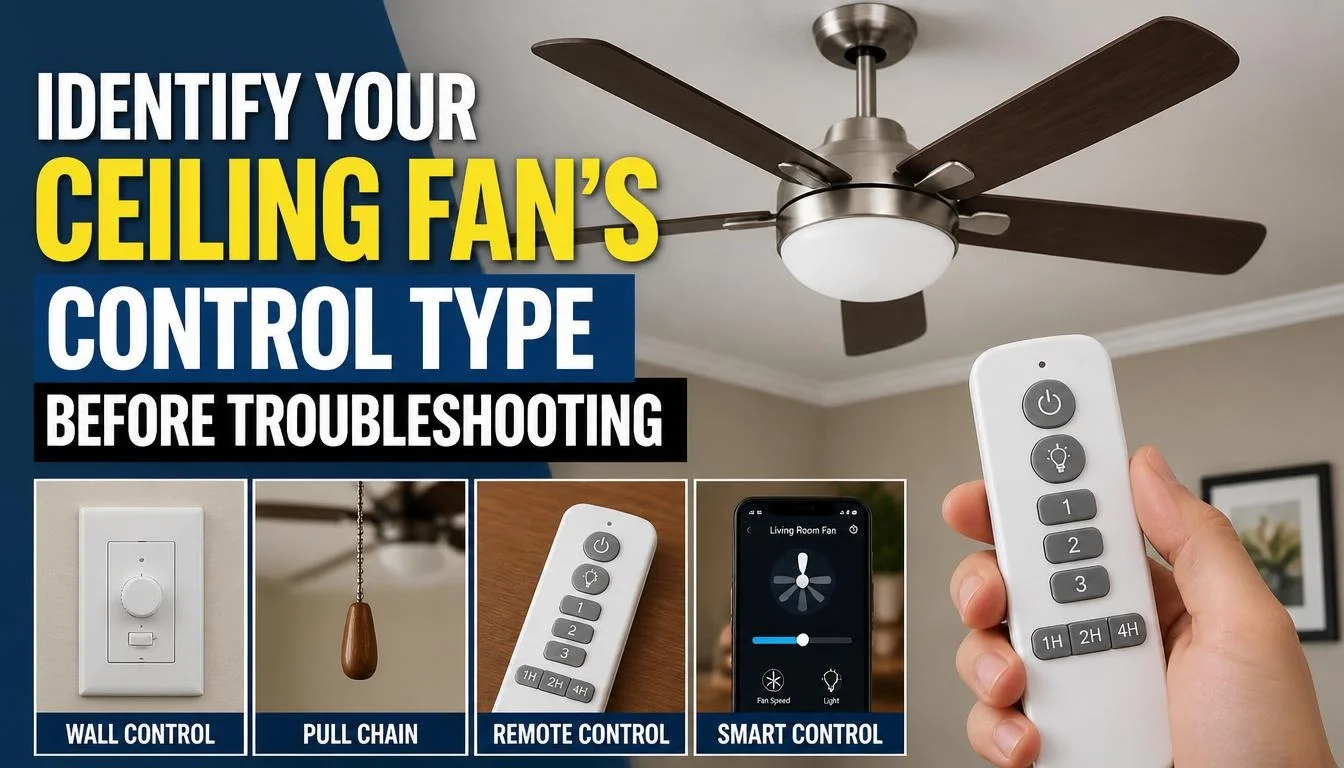
Before checking individual causes, work out how your ceiling fan is designed to operate. Different models use different control systems, so a check that applies to one fan may not apply to another.
Wall Switch-Controlled Ceiling Fans
Some ceiling fans operate through a standard wall switch. Turning the switch on supplies power to the fixture, while a pull chain or another control may determine the fan speed.
If the wall switch is off, the fan may not respond even when you press its remote or pull the chain.
Pull-Chain Ceiling Fans
Traditional ceiling fans often have one or two pull chains. One may control the motor speed, while another operates the light.
The chain usually cycles through different settings. Depending on the model, pulling it repeatedly may eventually return the fan or light to the off position.
Remote-Controlled Ceiling Fans
Remote-controlled models use a transmitter and a receiver. The remote sends commands, and the receiver interprets them to operate the motor, light, or both.
A dead battery, lost pairing, incorrect remote, or failed receiver can prevent the fan from responding.
Ceiling Fans With Separate Fan and Light Switches
Some installations use separate wall controls for the motor and light. This means one function may stop working while the other continues to operate.
If both functions are completely dead, however, it makes sense to begin with the shared power supply and main controls.
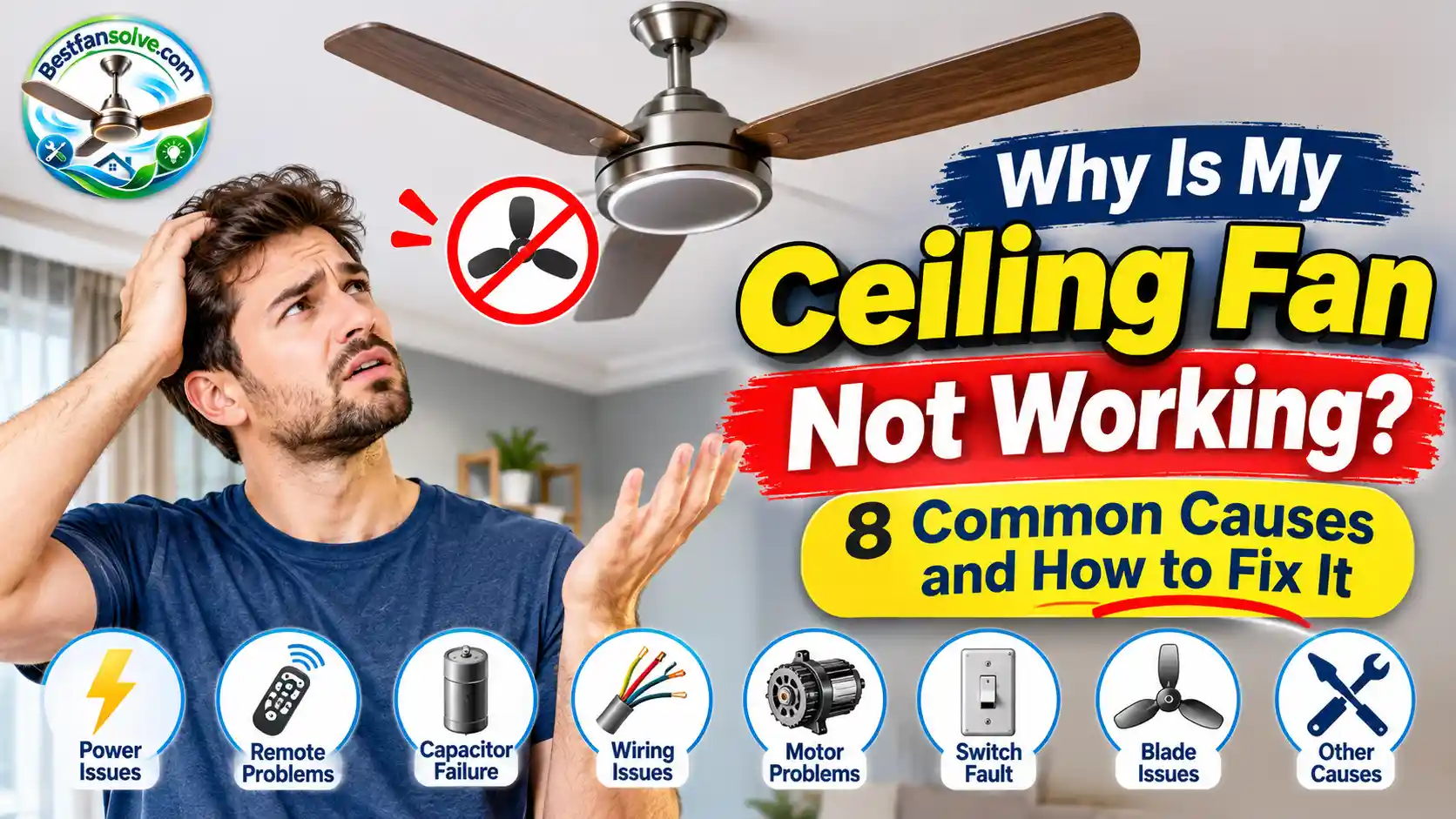
8 Common Reasons Why Your Ceiling Fan Is Not Working
1. No Electricity Is Reaching the Ceiling Fan
A lack of power is one of the first things to investigate when a ceiling fan and its light stop working together.
The fan may be perfectly functional, but it cannot respond if electricity is not reaching the fixture.
Possible reasons include:
- A power outage affecting your home or part of it.
- A problem with the electrical circuit supplying the room.
- A switched-off local isolation switch, where fitted.
- An interruption in the electrical supply to the fan.
What you can check:
Start by checking whether the room’s other lights and electrical appliances are working. If several items have lost power, the issue may involve the room’s electrical circuit rather than the fan itself.
Next, check whether a separate wall switch or isolation switch controls the fan’s power supply. Some installations have more than one switch involved.
Electrical terminology differs between countries. You may have a breaker panel in the USA or Canada, a consumer unit in the UK, or a switchboard in Australia.
If the room has power but the fan remains completely unresponsive, move on to the next checks.
2. A Tripped Circuit Breaker or Blown Fuse
A circuit breaker protects an electrical circuit from certain faults and excessive current. When it detects a problem, it can interrupt the supply.
If your ceiling fan shares a circuit with other lights or outlets, a tripped breaker may explain why the fan and its light have stopped working.
In homes with older fuse-based systems, a blown fuse may produce a similar result.
What you can check:
- Turn the fan and its wall controls off.
- Locate your home’s breaker panel, consumer unit, or fuse box.
- Look for a breaker that appears to be in a tripped or off position.
- Follow the panel manufacturer’s instructions if you need to reset a clearly tripped breaker.
- Check whether power has returned.
Do not keep resetting a breaker that trips again. A repeated trip can indicate a fault that needs professional attention.
If the breaker will not stay on, leave the affected circuit off and contact a qualified electrician. Never replace a fuse with one of a higher rating to stop it from blowing.
3. The Wall Switch Is Faulty or Incorrectly Set
A ceiling fan may appear completely dead when the wall switch is off, damaged, or not functioning correctly.
This is particularly relevant when the fan uses a wall switch as its main power control. Some remote-controlled models also require the wall switch to remain on so the receiver can receive power.
A faulty or incompatible wall speed controller may also interfere with normal operation.
What you can check:
- Confirm that the wall switch is in the correct position.
- Check whether the fan has a separate switch for its light.
- Consider whether the problem started after a switch or controller was replaced.
- Check the fan’s manual to see which type of wall control is compatible.
Do not remove the switch plate or test electrical terminals yourself. A qualified electrician can determine whether the switch is receiving and supplying power correctly.
One important detail: an ordinary light dimmer is not automatically suitable for controlling a ceiling fan’s motor. Always use a control approved for the specific fan model.
4. The Pull-Chain Switch Is Off or Not Working
If your ceiling fan has pull chains, an incorrect setting may be the reason it does not respond.
Many traditional models use one chain to control motor speed and another to operate the light. Pulling a chain cycles through its available settings.
If the motor chain is in the off position, the fan will not run. If the light chain is off, the light may remain dark even when the motor is operating.
What you can check:
- Make sure the fan has power.
- Identify the correct pull chain for the motor and light.
- Pull the appropriate chain gently through its normal settings.
- Check whether the fan or light responds.
Never pull a damaged chain forcefully. If it feels loose, jammed, or disconnected, the internal switch may need to be replaced.
For a fan that also uses a remote, the manufacturer may require the pull-chain setting to remain at a particular position. Check the manual rather than guessing.
5. The Remote Control Is Not Responding
A remote-controlled ceiling fan may stop responding even when the fan itself is in good condition.
The simplest explanation is often a battery problem. However, incorrect battery placement, lost pairing, or using the wrong remote can also prevent operation.
What you can check:
- Replace the old batteries with fresh ones of the correct type.
- Make sure the batteries are installed in the correct direction.
- Check whether the remote’s indicator light works, if it has one.
- Stand closer to the fan and try again.
- Confirm that you are using the correct remote for your fan.
- Follow the manufacturer’s instructions to pair or reset the remote, if necessary.
Some fans have both a remote and pull chains. On these models, a pull chain left in the off position may prevent the remote from controlling that function.
For model-specific advice, see Hunter’s ceiling fan remote troubleshooting guide.
If fresh batteries and the correct pairing procedure make no difference, the problem may be inside the receiver or control system.
6. The Ceiling Fan Remote Receiver Has Failed
The remote receiver is an electronic component that allows a compatible remote to control the ceiling fan.
Depending on the design, it may be located inside the fan’s canopy or another part of the fixture. It receives commands from the remote and passes the appropriate control signals to the fan.
If the receiver fails, the fan may not respond even when the remote has fresh batteries.
A receiver problem becomes more likely when:
- The remote indicator works, but the fan does not respond.
- Replacing the batteries has made no difference.
- The fan stopped responding after a power interruption.
- Both the motor and light are controlled through the same receiver and neither responds.
What should you do?
First, confirm that the fan has power and that you are following the correct remote-pairing procedure.
If the problem continues, the receiver may need professional inspection or replacement. The replacement must be compatible with the fan’s model and control system.
Do not remove the canopy or handle receiver wiring while the fan is connected to the electrical supply. If you suspect a failed receiver, consult the manufacturer’s support team or a qualified electrician.
7. Loose or Incorrect Electrical Connections
A loose, damaged, or incorrectly connected wire can interrupt the electricity supplied to a ceiling fan.
This may happen after installation, during renovation, or as a result of an electrical fault.
Depending on where the problem occurs, the fan, its light, or both may stop responding.
Warning signs can include:
- The fan works intermittently.
- The fan and light stop working together.
- You notice a burning smell.
- You hear unusual crackling or electrical buzzing.
- There are visible scorch marks or signs of overheating.
- A circuit breaker trips repeatedly.
What should you do?
Do not try to tighten wires, reconnect terminals, or open the fan’s electrical housing as a basic DIY repair.
If you notice a burning smell, sparks, smoke, or damaged electrical parts, stop using the fan. Switch off the affected circuit at the breaker if you can do so safely, and contact a qualified electrician.
For additional guidance, Electrical Safety First’s advice for DIY electrical work explains why electrical repairs should be left to people with the appropriate skills and qualifications.
8. An Internal Electrical or Control Component Has Failed
If the power supply, breaker, external controls, and remote have all been checked, the fault may be inside the fan.
Modern ceiling fans can contain electronic receivers, control boards, connectors, and other components needed for normal operation. A fault in a shared control or power component may stop both the motor and light from responding.
However, a failed motor alone does not necessarily explain why the light is also off. Many ceiling fans have separate motor and light functions. If the light still works but the blades do not turn, the problem may be different.
What should you do?
Do not assume the motor needs replacing simply because the fan has stopped working.
A technician or qualified electrician can test the appropriate components and identify whether the issue involves the receiver, control board, wiring, or motor.
If your fan makes a humming sound but the blades remain stationary, that is a different troubleshooting situation. Read our guide to why a ceiling fan hums but won’t spin for the specific causes and checks.
How to Troubleshoot a Ceiling Fan That Is Not Working
Once you understand the possible causes, follow this order to narrow down the problem. Start with external checks and avoid opening the fixture.
Step 1: Confirm That the Room Has Power
Check whether other lights or appliances in the room are working.
If several devices have lost power, the issue may involve the electrical circuit or a wider outage.
Step 2: Check the Wall Switch and Isolation Switch
Make sure the fan’s main wall switch is on. If your installation has a separate isolation switch, confirm that it has not been turned off.
Do not assume that a remote-controlled fan can operate while its main power supply is disconnected.
Step 3: Identify the Fan’s Control Type
Work out whether your fan uses a wall switch, pull chain, remote, or a combination of controls.
Follow the operating instructions for that particular model.
Step 4: Check the Pull-Chain Settings
If your fan has pull chains, check the motor and light settings separately.
For remote-controlled models with pull chains, consult the manual to confirm the required settings.
Step 5: Replace the Remote Batteries
If your fan uses a remote, install fresh batteries and check their orientation.
Follow the manufacturer’s pairing or reset instructions only if the remote still fails to operate the fan.
Step 6: Check the Circuit Breaker or Fuse
Look for an obviously tripped breaker or blown fuse.
If you reset a tripped breaker and it trips again, stop. Repeatedly restoring power without identifying the fault can create a safety risk.
Step 7: Consult the Manufacturer’s Manual
Fan controls, receiver locations, and reset procedures vary by model.
The manual is the best source for instructions specific to your fan. You can also review The Home Depot’s ceiling fan troubleshooting guide for general troubleshooting information.
Step 8: Contact an Electrician if the Problem Continues
If the fan remains completely unresponsive after these external checks, the problem may involve a switch, wiring connection, receiver, or internal electrical component.
A qualified electrician can test the installation safely and identify the fault without unnecessary part replacement.
Why Is My Ceiling Fan Not Working After Installation?
A newly installed ceiling fan that does not work can be especially frustrating. It may look perfectly fitted, yet neither the motor nor the light responds.
The problem may involve the installation, the control setup, or the power supply.
Common possibilities include:
- The wall switch or local isolation switch is off.
- The remote has not been paired with the receiver.
- The pull-chain setting is incorrect.
- The installed wall controller is incompatible with the fan.
- An electrical connection has been made incorrectly.
- The fan’s receiver or control component is faulty.
Start with the manufacturer’s operating instructions and confirm the external switch settings. If the fan still does not respond, contact the installer or a qualified electrician.
Do not remove the canopy or attempt to correct the wiring yourself. A newly installed fan should be checked against its manufacturer’s wiring diagram by someone qualified to perform the work.
Why Did My Ceiling Fan Suddenly Stop Working?
If your ceiling fan was working normally and then stopped without warning, think about what happened immediately before the problem appeared.
For example, did the power go out? Did you change a switch? Was there electrical work in the room? Did the fan stop after you used its remote?
The timing can help narrow down the possible cause.
A sudden failure may be related to:
- A tripped circuit breaker.
- A failed wall switch or control.
- A remote or receiver problem.
- An interruption in the electrical supply.
- A loose or damaged electrical connection.
- An internal electronic component failure.
If the fan and light both stopped at the same time, begin with the shared power supply and control system. If you notice smoke, sparks, overheating, or a burning smell, stop using the fan and arrange professional help rather than testing it repeatedly.
Ceiling Fan Not Working After a Power Outage
A power outage can leave a ceiling fan unresponsive even after electricity returns.
In some cases, the circuit breaker may have tripped. On certain remote-controlled models, the control system may also need to be reset or the remote paired again according to the manufacturer’s instructions.
Try these basic checks:
- Confirm that power has returned to the room.
- Check the fan’s wall switch and any local isolation switch.
- Look for a tripped circuit breaker.
- Replace weak remote batteries if necessary.
- Follow the manual’s reset or pairing procedure if the fan uses a remote.
A power interruption does not automatically mean that the fan is damaged. However, a power surge can affect electronic components, including some remote receivers and control boards.
If the fan remains unresponsive, avoid repeatedly switching it on and off. Arrange a professional inspection.
When Should You Call an Electrician?
Not every ceiling fan problem is suitable for DIY troubleshooting. Basic external checks are reasonable, but electrical work requires the appropriate knowledge and qualifications.
Contact a qualified electrician if:
- The circuit breaker trips repeatedly.
- You notice a burning smell or scorch marks.
- Sparks, smoke, or unusual electrical buzzing are present.
- The fan’s wiring appears damaged.
- The wall switch or internal connection may be faulty.
- The fan remains completely unresponsive after basic checks.
- The fan was recently installed and may have an incorrect electrical connection.
Electrical safety requirements vary by location. In the USA and Canada, use an appropriately qualified professional for fixed electrical work. In the UK, consult a competent electrician familiar with local requirements. In Australia, electrical installation work generally needs to be carried out by a licensed electrician under the relevant state or territory rules.
For more information, see the Electrical Safety Foundation International’s DIY electrical safety advice and the NSW Government’s electrical safety guidance.
How to Prevent Your Ceiling Fan From Stopping Working
You cannot prevent every electrical or component failure, but sensible maintenance and correct installation can reduce avoidable problems.
Here are a few practical habits:
- Follow the installation instructions: Make sure the fan is installed according to the manufacturer’s requirements.
- Use compatible controls: Choose wall controllers and remote accessories approved for your specific model.
- Replace remote batteries when needed: Weak batteries can cause unreliable operation.
- Pay attention to warning signs: Burning smells, repeated breaker trips, or unusual electrical sounds should never be ignored.
- Arrange professional inspections when necessary: If the fan develops recurring electrical problems, have it checked rather than repeatedly resetting it.
- Keep the manufacturer’s manual: It can help you identify the correct controls, reset procedures, and replacement parts.
A little attention to these details can make troubleshooting easier and help you recognize problems before they become more serious.
Frequently Asked Questions
Why Is My Ceiling Fan Not Turning On at All?
A ceiling fan that does not turn on may have no power, a tripped circuit breaker, a faulty wall switch, an incorrect pull-chain setting, or a problem with its remote receiver. Start with the room’s power supply and external controls before considering an internal fault.
Why Did My Ceiling Fan Suddenly Stop Working?
A ceiling fan may stop suddenly because of a power interruption, tripped breaker, failed control, or electrical fault. If both the fan and its light stopped at once, check the shared power supply and controls first.
Why Is My Ceiling Fan Not Working After Installation?
A new ceiling fan may fail to operate because of an incorrect control setup, an unpaired remote, an incompatible wall switch, or an installation-related electrical problem. Check the manual and external controls. Have a qualified electrician inspect the wiring if the fan remains unresponsive.
Why Is My Ceiling Fan Not Responding to the Remote?
Common causes include dead batteries, incorrect battery placement, lost pairing, an incompatible remote, or a faulty receiver. Replace the batteries and follow the manufacturer’s pairing instructions before considering receiver replacement.
Can a Tripped Breaker Stop a Ceiling Fan From Working?
Yes. If the breaker supplies the fan’s electrical circuit, a trip can cut off power to the fan and its light. You may restore a clearly tripped breaker once according to its instructions, but if it trips again, leave it off and contact an electrician.
Why Is My Ceiling Fan Not Working After a Power Outage?
The outage may have been followed by a tripped breaker, a switched-off control, or an electronic control problem. Check the power supply and external controls first. If the fan does not respond after power returns, consult the manufacturer or arrange professional inspection.
Is It Safe to Fix a Ceiling Fan That Has Stopped Working Myself?
You can perform basic external checks, such as replacing remote batteries and checking switch positions. However, opening the fan, testing wiring, replacing electrical components, or repairing fixed connections can be dangerous. Leave electrical repairs to a qualified professional.
Final Thoughts
When a ceiling fan stops working completely, it is tempting to assume that the motor has failed. But that is not always the case.
A tripped breaker, switched-off wall control, incorrect pull-chain setting, dead remote batteries, or faulty receiver can all prevent a fan from responding. Starting with the power supply and external controls is usually the most sensible approach.
Pay attention to the symptoms, follow the manufacturer’s instructions, and do not open electrical components just to find out what has gone wrong. If the fan and light remain unresponsive or you notice any signs of electrical damage, contact a qualified electrician.
The aim is not simply to get the fan running again. It is to identify the actual problem and restore safe, reliable operation.

“The right fan can make a bigger difference than you think.”
Hi, I’m Michael Turner, an author and home appliance researcher at BestFanSolve.com.
My interest in fans started with a simple question: How do you know which fan is actually right for your needs? With so many types, features, brands, and technical specifications available, choosing a fan can quickly become confusing. I created BestFanSolve.com to make that process easier.
Through this website, I share practical fan reviews, buying guides, comparisons, troubleshooting tips, maintenance advice, and solutions to common fan problems. I focus on turning complicated product information into clear, useful guidance that everyday readers can actually understand and use.
Whether you’re searching for a quiet bedroom fan, a powerful fan for a large room, an energy-efficient option, or simply trying to figure out why your current fan isn’t working properly, my goal is to help you find the information you need before making a decision.
I believe good recommendations should be based on research, real-world considerations, honest pros and cons, and the specific needs of the user—not simply marketing claims.
Through BestFanSolve.com, I’m committed to helping readers find the right fan, solve common fan problems, and make smarter purchasing decisions with confidence.
— Michael Turner
Author & Home Appliance Researcher
BestFanSolve.com