You switch on your ceiling fan, hear a steady humming sound, and wait for the blades to start moving. But nothing happens. The motor seems to be receiving power, yet the fan refuses to rotate.
A ceiling fan that hums but won’t spin may have a faulty capacitor, seized motor bearings, a defective remote receiver, a damaged speed control, or an internal electrical problem. The exact cause depends on the fan’s motor type, control system, and condition.
The first thing to do is switch the fan off. Don’t leave a stalled motor humming for an extended period, particularly if you notice unusual heat, a burning smell, smoke, or electrical buzzing.
In this guide, you’ll learn why a ceiling fan hums without rotating, how to recognize the likely cause, which basic checks you can perform safely, and when to call a qualified electrician or fan technician.
Why Does My Ceiling Fan Hum but Won’t Spin?
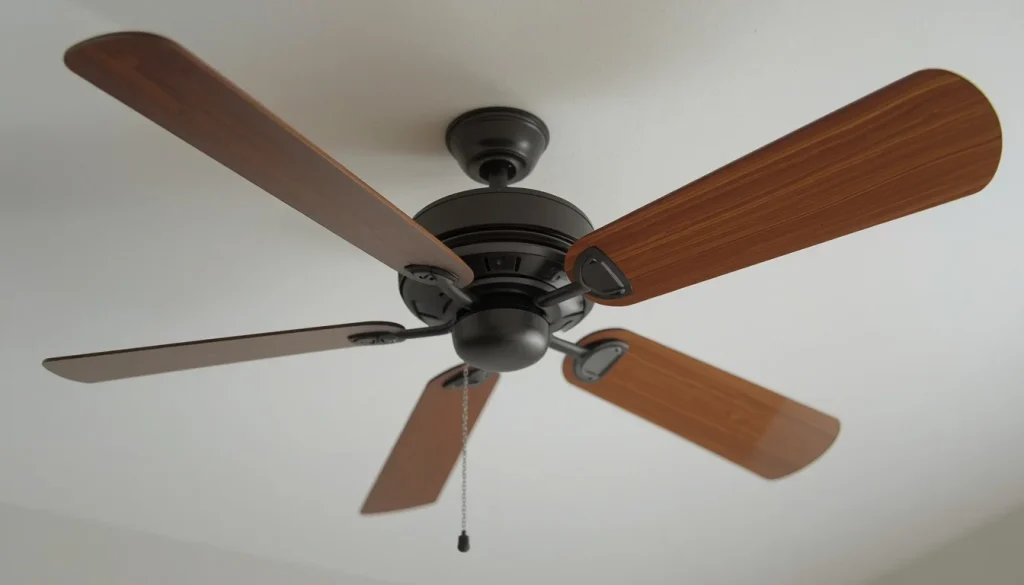
A ceiling fan needs its motor and control system to work together before the blades can rotate. When you turn the fan on, electricity reaches the motor or its electronic controls. If a component responsible for starting or operating the motor is faulty, the fan may produce a humming sound without developing enough starting torque to move the blades.
A humming sound does not automatically mean the motor itself is damaged. The noise may come from the motor, an electronic receiver, an incompatible speed controller, or another electrical component.
The most common possibilities include:
- A weak or faulty capacitor in a compatible AC ceiling fan.
- Motor bearings that are seized or excessively worn.
- A defective remote receiver or electronic control board.
- A faulty pull-chain switch or wall speed controller.
- A reverse-direction switch that is not fully engaged.
- Loose or damaged electrical connections.
- A damaged or overheated motor.
- A physical obstruction or installation problem.
Before replacing any parts, it is important to identify whether the problem is electrical, mechanical, or related to the fan’s controls.
8 Common Reasons Your Ceiling Fan Hums but Won’t Spin
1. A Faulty or Failed Ceiling Fan Capacitor
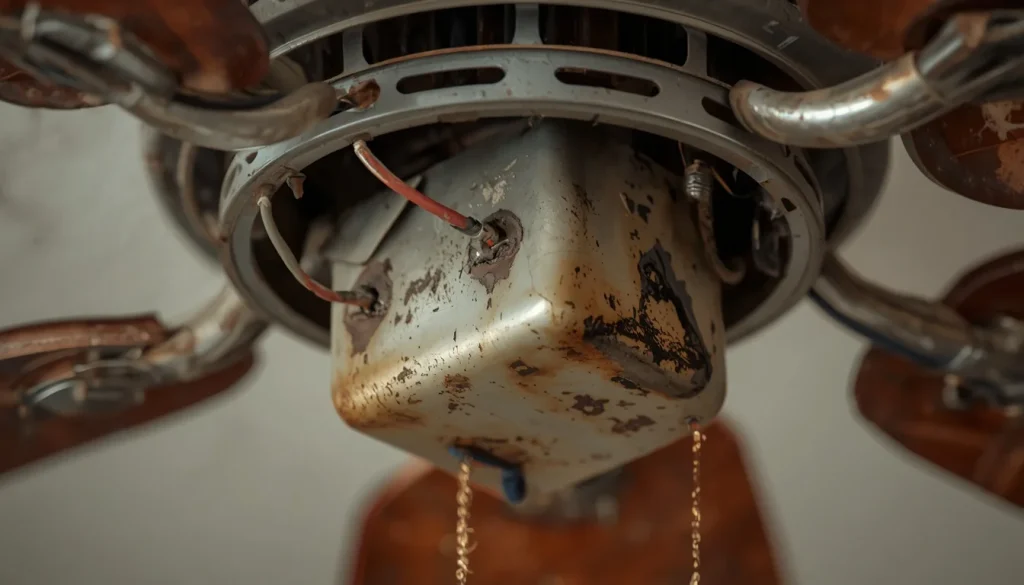
A faulty capacitor is one of the first things to investigate when a traditional AC ceiling fan hums but cannot start.
In certain AC ceiling fan designs, the capacitor helps the motor start and operate correctly. It also plays an important role in the speed-control system of many multi-speed fans.
When the capacitor becomes weak or fails, the motor may receive power but struggle to start rotating. You may hear a humming sound while the blades remain stationary.
Common signs of a failing capacitor include:
- The fan makes a humming sound but does not start.
- The fan needs a push to start, although this symptom is not proof of capacitor failure.
- The fan has difficulty starting at different speed settings.
- The motor runs slowly or behaves differently than before.
- Some speed settings stop working properly.
A capacitor may also have visible signs of damage, such as swelling, leakage, or discoloration. However, not every failed capacitor looks damaged from the outside.
What should you do?
A qualified technician can test the capacitor and determine whether it needs replacement. The replacement must match the fan manufacturer’s specified capacitance, voltage rating, and component requirements.
Do not select a replacement simply because it looks similar to the original part.
Important: Capacitor-based troubleshooting applies to certain AC ceiling fans. Many DC ceiling fans use electronic motor controllers instead, so a traditional AC fan capacitor should not be assumed to be the cause.
2. Stuck or Damaged Motor Bearings
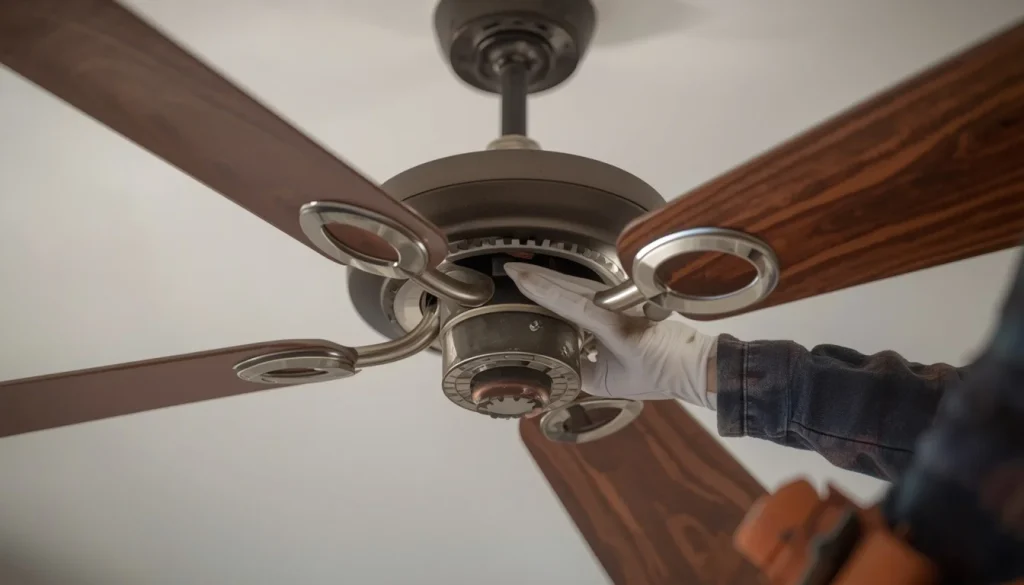
Motor bearings allow the rotating parts inside a ceiling fan to move smoothly. If the bearings become worn, damaged, or seized, the motor may struggle to rotate.
In severe cases, the motor may hum while the blades remain completely still.
This problem can develop gradually as the fan ages or after prolonged operation under unsuitable conditions.
Signs of a bearing problem include:
- The blades feel unusually difficult to turn when the fan is completely disconnected from power.
- You hear grinding, rumbling, or scraping sounds.
- The fan previously became noisy before it stopped rotating.
- The motor struggles to start even when the control settings appear correct.
What should you do?
First, disconnect the fan’s electrical supply before checking whether the blades move freely. Never force them to rotate.
If the blades remain difficult to turn, internal friction or a mechanical fault may be involved. A technician should inspect the bearings and determine whether they can be serviced or whether the motor needs replacement.
Avoid spraying general-purpose lubricant into the motor housing. Some ceiling fans have sealed or maintenance-free bearings, and adding oil where it is not required may cause further problems.
3. A Reverse Switch That Is Not Fully Engaged
Many ceiling fans have a reverse-direction switch that changes the direction of blade rotation for different seasons.
Depending on the model, the switch may be located on the motor housing or controlled electronically through a remote.
If a physical reversing switch is not fully positioned in one of its intended settings, it may interfere with normal fan operation.
This is not a universal cause, but it is a simple control-related issue worth checking before assuming the motor has failed.
How to check it:
- Switch off the fan.
- Wait until all blades stop completely.
- Locate the direction switch if your model has one.
- Check whether it is fully positioned in the intended direction.
- Refer to the manufacturer’s manual if you are unsure how the switch should be positioned.
Never move a physical reverse switch while the blades are spinning unless the manufacturer specifically permits it.
If the fan still hums without starting, the problem may be elsewhere in the electrical or mechanical system.
4. A Faulty Pull-Chain Switch or Wall Speed Controller
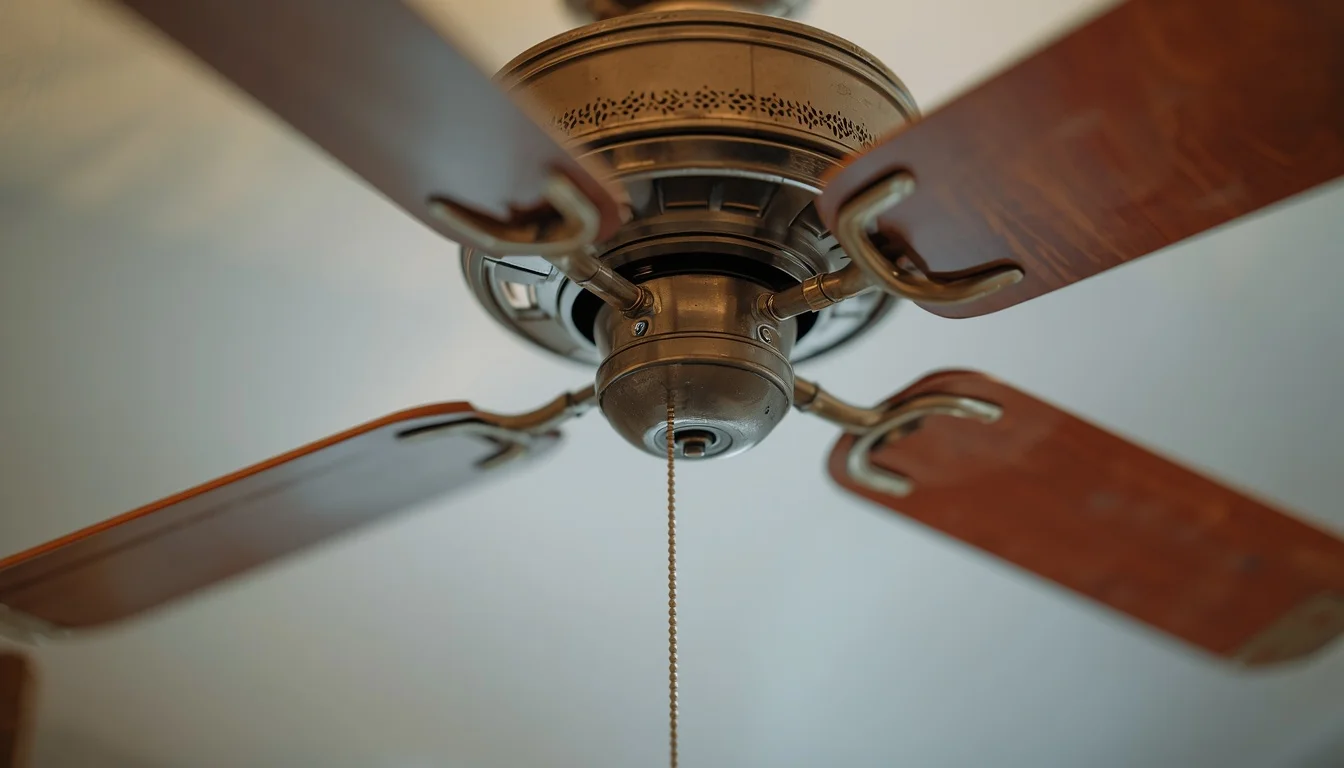
Some ceiling fans use a pull chain to select different speed settings. Others rely on a wall-mounted speed regulator or electronic control.
If the switch or controller becomes damaged, the fan may not receive the correct operating command.
For example, you might notice that the fan:
- Does not respond when you pull the chain.
- Stops working after changing speed settings.
- Makes a humming sound but does not rotate.
- Works intermittently.
- Operates differently depending on the selected control.
A replacement wall switch can also cause problems if it is incompatible with the fan.
What should you do?
Start with the simple checks. Make sure the fan is switched on correctly and that you are using the intended speed control.
If you recently replaced the wall switch or installed a new regulator, check whether it is approved for your specific fan model.
Never use an ordinary light dimmer as a substitute for a ceiling fan speed controller. These devices are designed for different purposes and may cause unwanted noise or operating problems.
If the pull-chain switch or internal control needs replacement, have the electrical work completed by someone qualified to perform it.
5. A Defective Remote Receiver or DC Fan Control Board
Modern ceiling fans often use remote controls to manage their speed, direction, and lighting.
The remote sends a signal to a receiver or electronic control system, which then communicates with the motor.
When the receiver or control board fails, the fan may stop responding correctly. On some models, you may hear an electrical hum even though the blades do not move.
Possible warning signs include:
- The remote buttons work inconsistently.
- The fan does not respond to speed commands.
- The light works, but the fan motor does not start.
- The problem appears after a power interruption.
- The fan stops responding even after replacing the remote batteries.
For a DC ceiling fan, the electronic motor controller or driver may be a possible source of the problem. The exact arrangement varies by manufacturer.
What should you do?
Try these basic checks:
- Replace the remote batteries with fresh ones.
- Confirm that you are using the correct remote for the fan.
- Check the manufacturer’s instructions for remote pairing.
- Follow the model-specific reset procedure if one is provided.
If the fan still does not respond, the receiver or internal controller may need professional inspection.
Do not open the receiver housing or handle internal wiring while the electrical supply is connected.
6. Something Is Blocking the Blades or Motor
A ceiling fan cannot rotate if a physical obstruction prevents the blades or internal rotating assembly from moving.
This may happen after installation, cleaning, maintenance, or accidental damage.
Possible causes include:
- An object caught near the blades.
- A damaged blade holder.
- A loose external component rubbing against the rotating assembly.
- Incorrectly installed parts.
- A damaged component inside the motor assembly.
Dust on the blades is not usually enough to stop a functioning fan motor completely. However, visible obstructions or damaged components should never be ignored.
What should you do?
Switch off the fan and disconnect power at the circuit breaker before inspecting accessible parts.
Look for visible objects, damaged blades, or loose external components. Follow the manufacturer’s instructions when checking any accessible fittings.
If you find an internal obstruction or the motor remains difficult to turn, stop troubleshooting and arrange a professional inspection.
Never bend a blade holder, force the blades, or dismantle the motor housing to make the fan rotate.
7. Loose or Damaged Electrical Wiring
Electrical connections supply power to the fan motor, receiver, and other internal components. If a connection becomes loose or a wire is damaged, the fan may not operate correctly.
Depending on the fault, you may hear humming without seeing any blade movement.
Potential problems include:
- Loose internal connectors.
- Damaged wiring harnesses.
- Faulty connections in the fan’s switch housing.
- Incorrect installation wiring.
- Damaged electrical components.
Warning signs may include:
- Intermittent fan operation.
- Unusual electrical buzzing or crackling.
- A burning smell.
- Visible discoloration around electrical components.
- A circuit breaker that repeatedly trips.
What should you do?
Do not attempt to repair loose or damaged electrical connections while the fan is powered.
Switch off the circuit breaker if it is safe to do so, stop using the fan, and contact a qualified electrician.
Never assume that tightening a wire connection will solve the problem. An incorrect connection can create an electric shock or fire hazard.
8. A Damaged or Burnt-Out Ceiling Fan Motor
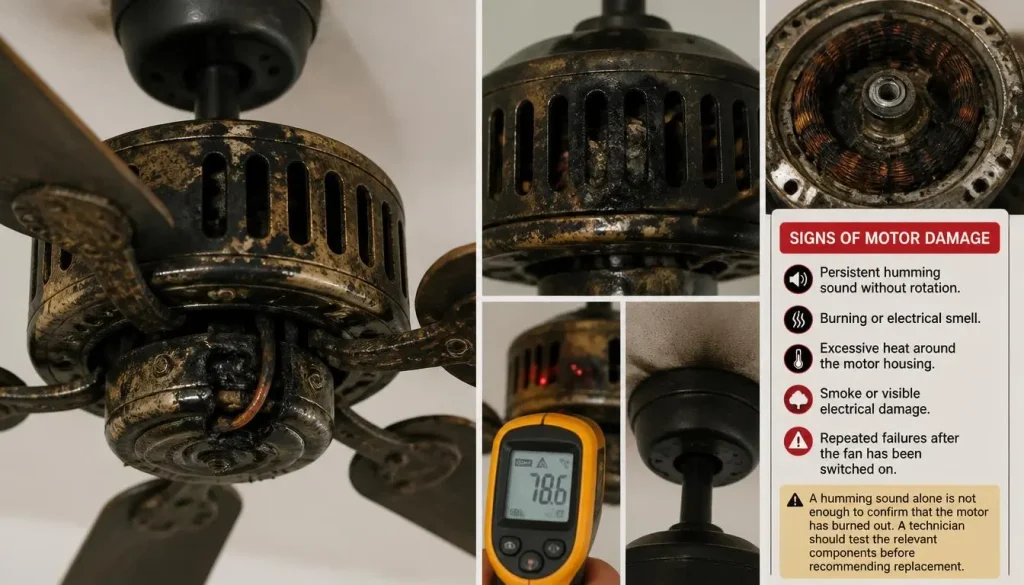
If the capacitor, control system, visible obstructions, and other likely causes have been ruled out, the motor itself may be damaged.
A motor can develop internal problems because of overheating, electrical faults, worn components, or prolonged mechanical strain.
When the motor cannot operate normally, it may produce a humming or buzzing sound without turning the blades.
Possible signs of motor damage include:
- A persistent humming sound without rotation.
- A burning or electrical smell.
- Excessive heat around the motor housing.
- Smoke or visible electrical damage.
- Repeated failures after the fan has been switched on.
A humming sound alone is not enough to confirm that the motor has burned out. A technician should test the relevant components before recommending replacement.
What should you do?
Turn off the fan immediately if you notice smoke, a burning smell, sparks, or unusual heat. Isolate the electrical supply at the breaker if you can do so safely.
Do not continue switching the fan on to see whether it starts.
A qualified electrician or ceiling fan technician can determine whether the motor can be repaired or whether replacing the fan is the more practical option.
What If the Ceiling Fan Light Works but the Fan Won’t Spin?
This is a common and confusing situation. You switch on the fan’s light, and it works normally. However, the motor only produces a humming sound or the blades remain completely still.
The reason is that the light and motor do not necessarily share all their operating components.
A ceiling fan may have separate controls, wiring connections, or electronic components for its light and motor. Therefore, a working light does not prove that the motor circuit is functioning correctly.
Possible causes include:
- A faulty motor capacitor in a compatible AC fan.
- A defective remote receiver or electronic controller.
- A damaged pull-chain motor switch.
- A wiring or connector problem.
- A damaged motor.
What should you check?
First, make sure the fan’s speed control is set correctly. If the fan uses a remote, replace the batteries and follow the manufacturer’s pairing instructions.
If the light works but the motor continues to hum without rotating, the issue may involve an internal motor or control component.
Avoid opening the fan’s electrical housing yourself unless you are qualified to work on electrical equipment.
How to Diagnose a Ceiling Fan That Hums but Won’t Spin
Before replacing a capacitor, receiver, or motor, work through the following checks. They can help you narrow down the problem without unnecessarily dismantling the fan.
Step 1. Turn Off the Fan and Disconnect Power
Switch off the fan immediately.
If you need to inspect anything beyond the external controls, isolate the fan’s electrical supply at the circuit breaker or consumer unit. A wall switch alone should not be treated as sufficient protection against electric shock.
If you notice smoke, sparks, a burning smell, or unusual heat, do not attempt further testing. Arrange professional assistance.
Step 2. Check Whether the Blades Move Freely
With the power disconnected and the blades completely stopped, carefully check whether they can rotate by hand.
They should not feel as though they are heavily jammed or scraping against another component.
If the blades are difficult to turn, possible explanations include seized bearings, an internal mechanical fault, or a physical obstruction.
Do not force the blades. Excessive pressure can damage the fan.
Step 3. Check the Reverse Switch Position
If your fan has a physical reverse switch, make sure it is fully positioned in the intended direction.
Always switch off the fan and wait for the blades to stop before touching the switch.
Some fans use remote or electronic controls instead, so follow the instructions for your particular model.
Step 4. Check the Remote, Pull Chain, and Wall Controls
If your fan uses a remote control, install fresh batteries and check the manufacturer’s instructions for pairing.
For pull-chain models, confirm that the motor is switched on and that the intended speed setting has been selected.
If you recently installed a new wall speed controller, verify that it is compatible with the fan.
Do not dismantle the switch housing or inspect internal wiring as part of a basic DIY check.
Step 5. Identify Whether Your Fan Uses an AC or DC Motor
This distinction matters because the starting and speed-control systems are different.
Traditional AC ceiling fans may use a capacitor that helps the motor start and operate at different speeds.
Many DC ceiling fans use an electronic motor controller or driver instead. A problem with this system may prevent the fan from responding or starting.
If you are unsure which type you own, check the product label, manufacturer’s website, or user manual.
You can also read our guide to DC vs. AC ceiling fans to understand how their motor and control systems differ.
Step 6. Look for Signs of Electrical or Motor Damage
Without opening the electrical housing, look for obvious warning signs around the fan.
These include:
- A burning or melting-plastic smell.
- Smoke or visible sparks.
- Unusual crackling or electrical buzzing.
- Excessive heat around the motor housing.
- Damaged external components.
- Repeated circuit-breaker trips.
If you notice any of these signs, stop using the fan and contact a qualified electrician.
Step 7. Know When to Stop Troubleshooting
You do not need to identify every failed component yourself.
If the fan continues to hum after the basic checks, or if the suspected problem involves a capacitor, receiver, wiring, or internal motor component, professional testing is the safest next step.
For model-specific guidance, consult the manufacturer’s manual. You can also review Hunter Fan’s ceiling fan troubleshooting guide for examples of the checks recommended by a major fan manufacturer.
How to Fix a Ceiling Fan That Hums but Won’t Spin
The right solution depends on the cause. There is no single repair that works for every humming ceiling fan.
Here are the appropriate next steps for the problems discussed above.
Fix 1. Remove Any Physical Obstruction
If a visible object is blocking the blades, remove it only after disconnecting the fan’s electrical supply and allowing all moving parts to stop.
Check for damaged or loose external components.
If the obstruction is inside the motor housing, contact a technician rather than dismantling the assembly.
Fix 2. Replace a Faulty Capacitor on Compatible AC Models
If testing confirms that the capacitor has failed, it may need replacement.
The replacement component must match the fan’s specified electrical requirements. A capacitor with the wrong rating or wiring arrangement may damage the fan.
Because capacitors can retain an electrical charge after power has been disconnected, this repair should be performed by someone qualified to work on electrical components.
Do not apply this repair method to a DC ceiling fan unless its manufacturer specifically identifies a compatible capacitor component.
Fix 3. Correct the Reverse Switch Position
If the physical reverse switch is not fully engaged, switch off the fan and wait until the blades have stopped.
Move the switch fully into the intended position, following the fan’s manual.
Never force the switch or move it while the blades are spinning unless the manufacturer allows it.
Fix 4. Repair or Replace a Faulty Pull-Chain Switch
A damaged pull-chain switch may prevent the motor from responding to the selected speed.
A compatible replacement may solve the problem, but the correct switch depends on the fan’s design and electrical specifications.
Internal switch replacement involves electrical connections, so it is best handled by a qualified person.
Fix 5. Troubleshoot the Remote Receiver or Control Board
For a remote-operated fan, start with fresh batteries and the correct pairing procedure.
If the receiver or electronic controller is defective, it may need to be replaced with a model-approved component.
For DC fans, the manufacturer may specify a particular control board or driver. Do not substitute a generic component without confirming compatibility.
Fix 6. Have Damaged Bearings Inspected
If the blades are difficult to turn with the electrical supply disconnected, the motor assembly may have excessive friction or damaged bearings.
Some ceiling fans have serviceable bearings, while others use sealed assemblies.
A technician can determine whether the bearings can be serviced or whether replacing the motor assembly is more appropriate.
Fix 7. Have Damaged Wiring Repaired Professionally
Loose, damaged, or incorrectly connected wiring should be inspected by a qualified electrician.
Do not attempt to repair live wiring, bypass safety components, or repeatedly reset a breaker that trips when the fan is switched on.
The electrician should identify the actual fault and repair it according to applicable local electrical requirements.
Fix 8. Repair or Replace a Defective Motor
If testing confirms internal motor damage, the available options depend on the fan model.
A repair may be possible if compatible replacement components are available. However, replacing the motor or the entire fan may be more practical when the motor is badly damaged or the fan is old.
Check the warranty and manufacturer’s support options before purchasing replacement parts.
What If Your Ceiling Fan Hums but Won’t Spin After a Power Outage?
If the fan worked normally before a power outage but only hums afterward, the timing may help narrow down the possible causes.
A power interruption can affect electronic controls, remote receivers, or other components. An electrical surge may also damage sensitive parts.
Consider the following possibilities:
Remote pairing problem: Some remote-controlled fans may need to be paired again according to the manufacturer’s procedure.
Receiver or control board issue: The receiver may no longer communicate correctly with the motor.
Electrical damage: A surge or electrical fault may have damaged an internal component.
Power supply problem: The electrical supply or a protective device may have been affected.
Start with the user-accessible checks recommended in the fan manual. If the fan still hums without starting, stop using it and arrange a professional inspection.
Do not repeatedly switch the fan on and off in an attempt to reset it.
Is It Safe to Keep Running a Ceiling Fan That Only Hums?
No. You should switch off a ceiling fan that hums but does not rotate.
A stalled motor may continue drawing electrical current without operating as intended. Depending on the fault and the motor’s design, this can contribute to overheating or further component damage.
Pay particular attention to these warning signs:
- A burning smell.
- Smoke or visible sparks.
- Excessive heat around the motor.
- Crackling or unusual electrical noises.
- A breaker that repeatedly trips.
If you notice any of these problems, stop using the fan and isolate its electrical supply at the breaker if it is safe to do so.
For additional electrical safety guidance, read Electrical Safety First’s advice for DIY electrical work. The guidance explains why electrical work beyond your knowledge or competence should be left to a suitable professional.
The same basic principle applies whether you live in the USA, UK, Canada, or Australia: follow local electrical requirements and use a qualified electrician when necessary.
Can You Fix a Humming Ceiling Fan Yourself, or Do You Need an Electrician?
Not every ceiling fan problem requires professional repair. However, it is important to understand the difference between simple external checks and work involving electrical components.
| Problem | Recommended Approach |
|---|---|
| Remote batteries need replacing | DIY |
| Remote needs manufacturer-approved pairing | DIY, following the manual |
| Visible obstruction near the blades | DIY, with power disconnected |
| Reverse switch needs repositioning | DIY, with fan switched off |
| Faulty capacitor | Qualified repair recommended |
| Damaged pull-chain switch | Qualified repair recommended |
| Defective receiver or control board | Qualified repair recommended |
| Seized motor bearings | Professional inspection |
| Loose or damaged electrical wiring | Qualified electrician |
| Burnt-out motor | Professional assessment |
If you are unsure how to identify or isolate the fan’s electrical supply, do not attempt internal troubleshooting.
A proper diagnosis can also prevent you from replacing an expensive motor when the actual problem is a smaller component.
Should You Repair or Replace a Ceiling Fan That Hums but Won’t Spin?
The decision depends on the fan’s age, condition, warranty, and the cost of repairing it.
A fan with a faulty replaceable control component may be worth repairing. On the other hand, a badly damaged motor or repeated electrical failures may make replacement the more sensible option.
Before deciding, consider:
- Age of the fan: Older fans may have worn components or limited replacement-part availability.
- Cost of repair: Compare the technician’s quote with the price of a suitable replacement.
- Motor condition: A seriously damaged motor may not be worth repairing.
- Warranty coverage: Check whether the manufacturer offers repair or replacement support.
- Availability of parts: Make sure the correct replacement components are still available.
Do not replace the entire ceiling fan before identifying the actual problem. A professional inspection may reveal that a smaller repair is sufficient.
How to Prevent Your Ceiling Fan From Humming and Failing to Start
You cannot prevent every electrical or mechanical failure, but regular care can help your ceiling fan remain reliable.
Clean the blades regularly. Dust and dirt can accumulate on the blades and around accessible external components. Clean them with a suitable duster or soft cloth while the fan is switched off.
Use compatible speed controls. Make sure the wall switch, remote receiver, or replacement controller is designed for your exact fan model.
Pay attention to unusual sounds. A new humming, buzzing, grinding, or scraping noise deserves attention, especially if the fan also begins behaving differently.
Follow manufacturer maintenance instructions. Different fans have different motor designs and bearing arrangements. Do not assume that every model requires the same type of lubrication or maintenance.
Address electrical problems early. If a breaker trips, the fan stops unexpectedly, or you notice a burning smell, stop using it and arrange an inspection.
Use genuine or approved replacement parts. A component that looks similar may not have the correct electrical rating or connections for your fan.
Taking care of small problems early may help you avoid more expensive repairs later.
Frequently Asked Questions About Ceiling Fan Hums but Won’t Spin
Why Does My Ceiling Fan Hum but Not Spin?
A ceiling fan may hum without spinning because of a faulty capacitor, seized motor bearings, a defective receiver, an incompatible speed controller, damaged wiring, or an internal motor problem. The cause depends on the fan’s design. Switch it off and inspect only the user-accessible parts before seeking professional help.
Why Does My Ceiling Fan Only Spin When I Push It?
If a traditional AC ceiling fan starts only after someone manually pushes the blades, a weak or failed capacitor may be responsible. However, worn bearings or another motor fault can create similar symptoms.
Do not push the blades while the fan is connected to power. A qualified technician should test the capacitor and motor before replacing any parts.
Can a Bad Capacitor Make a Ceiling Fan Hum but Not Spin?
Yes. A failed capacitor can prevent certain AC ceiling fan motors from starting properly. The motor may hum without producing enough starting torque to rotate the blades.
However, not all ceiling fans use the same capacitor-based system. Check the fan’s model and specifications before assuming the capacitor is faulty.
Why Does My Ceiling Fan Light Work but the Fan Doesn’t?
The light and motor may use separate controls or electrical components. A working light does not guarantee that the motor circuit is functioning correctly.
A faulty capacitor, receiver, motor switch, control board, or wiring connection may prevent the blades from rotating.
Should I Leave My Ceiling Fan On If It Only Hums?
No. Switch it off as soon as you notice that the motor is humming but the blades are not rotating. Leaving a stalled fan running can contribute to overheating or further damage, depending on the fault.
If you notice smoke, sparks, a burning smell, or excessive heat, isolate the supply at the breaker if safe and contact a qualified electrician.
Can a DC Ceiling Fan Hum but Not Spin?
Yes. A DC ceiling fan may produce humming or buzzing when an electronic control component, motor driver, wiring connection, or motor has a problem.
The troubleshooting process is different from that of many traditional AC fans. Check the manufacturer’s instructions and have the electronic components tested by a qualified technician.
Why Won’t My Ceiling Fan Start After a Power Outage?
A fan may stop working after a power outage because of a remote pairing problem, a faulty receiver, a damaged control board, or an electrical issue.
Try the basic reset or pairing procedure in the manufacturer’s manual. If the motor continues to hum without rotating, stop using it and arrange a professional inspection.
Can a Ceiling Fan Motor Be Repaired If It Hums but Won’t Turn?
Sometimes. The motor may be repairable if the problem involves a replaceable component or serviceable bearing. However, serious winding damage or a badly damaged motor assembly may make replacement more practical.
A technician should test the motor before recommending a repair.
How Do I Know If My Ceiling Fan Motor Is Seized?
A possible sign of a seized motor is blades that are unusually difficult to rotate by hand when the fan’s electrical supply is disconnected.
Grinding sounds, excessive friction, and a persistent failure to start may also indicate a mechanical problem. However, these symptoms are not conclusive. A professional inspection is needed to confirm the cause.
Conclusion
When a ceiling fan hums but won’t spin, the problem may involve a faulty capacitor, damaged bearings, an unresponsive receiver, a control-switch issue, an electrical connection, or a defective motor.
The most sensible approach is to switch off the fan, check the simple external controls, and look for visible obstructions without opening the electrical housing. If the blades remain stuck or the motor continues humming, avoid repeatedly trying to start it.
Remember that AC and DC ceiling fans can have different motor and control systems, so the correct repair depends on the exact model.
Most importantly, do not ignore burning smells, excessive heat, smoke, sparks, or repeated breaker trips. A qualified electrician or ceiling fan technician can identify the fault and help you decide whether a repair or replacement is the safer, more practical solution.

“The right fan can make a bigger difference than you think.”
Hi, I’m Michael Turner, an author and home appliance researcher at BestFanSolve.com.
My interest in fans started with a simple question: How do you know which fan is actually right for your needs? With so many types, features, brands, and technical specifications available, choosing a fan can quickly become confusing. I created BestFanSolve.com to make that process easier.
Through this website, I share practical fan reviews, buying guides, comparisons, troubleshooting tips, maintenance advice, and solutions to common fan problems. I focus on turning complicated product information into clear, useful guidance that everyday readers can actually understand and use.
Whether you’re searching for a quiet bedroom fan, a powerful fan for a large room, an energy-efficient option, or simply trying to figure out why your current fan isn’t working properly, my goal is to help you find the information you need before making a decision.
I believe good recommendations should be based on research, real-world considerations, honest pros and cons, and the specific needs of the user—not simply marketing claims.
Through BestFanSolve.com, I’m committed to helping readers find the right fan, solve common fan problems, and make smarter purchasing decisions with confidence.
— Michael Turner
Author & Home Appliance Researcher
BestFanSolve.com