
A ceiling fan should provide comfortable airflow without becoming a distraction. However, when it starts clicking, rattling, humming, grinding, or making unusual vibrating sounds, even a familiar appliance can become frustrating. The problem can be particularly noticeable at night when everything else in the room is quiet.
So, why is your ceiling fan making noise? The answer depends on the type of sound, when it happens, and whether the fan has recently been installed or has become noisy over time.
Some problems are caused by loose screws, dusty blades, or an unbalanced fan. Others may involve the motor, electrical controls, or mounting system. Understanding the difference can help you identify the likely source without replacing a fan that may only need a simple adjustment.
In this guide, you’ll learn what different ceiling fan noises mean, how to troubleshoot common problems safely, and when it’s better to call a qualified professional.
Quick Guide: What Does Your Ceiling Fan Noise Mean?
The sound your ceiling fan makes can offer useful clues about what’s happening. Before taking anything apart, listen carefully and compare the noise with the symptoms below.
| Type of Noise | Possible Cause | Recommended Action |
|---|---|---|
| Clicking or ticking | Loose blade screws or blade holders | Inspect accessible screws |
| Rattling | Loose light kit, canopy, or other components | Check visible fixtures and hardware |
| Humming or buzzing | Motor, speed controller, or receiver issue | Check control compatibility |
| Grinding or rumbling | Possible motor or bearing problem | Stop the fan and arrange inspection |
| Scraping or rubbing | Misaligned components or physical contact | Check for visible obstructions |
| Squeaking | Friction between moving components | Follow the manufacturer’s maintenance instructions |
| Whooshing or wind noise | Blade aerodynamics and airflow | Compare different speed settings |
| Thumping or vibration | Blade imbalance or installation problem | Inspect blade condition and mounting |
| Crackling or sizzling | Possible electrical fault | Switch off power and contact an electrician |
These are possible explanations rather than guaranteed diagnoses. Several different faults can produce similar sounds.
8 Common Ceiling Fan Noises and How to Fix Them
1. Why Is My Ceiling Fan Making a Clicking or Ticking Noise?
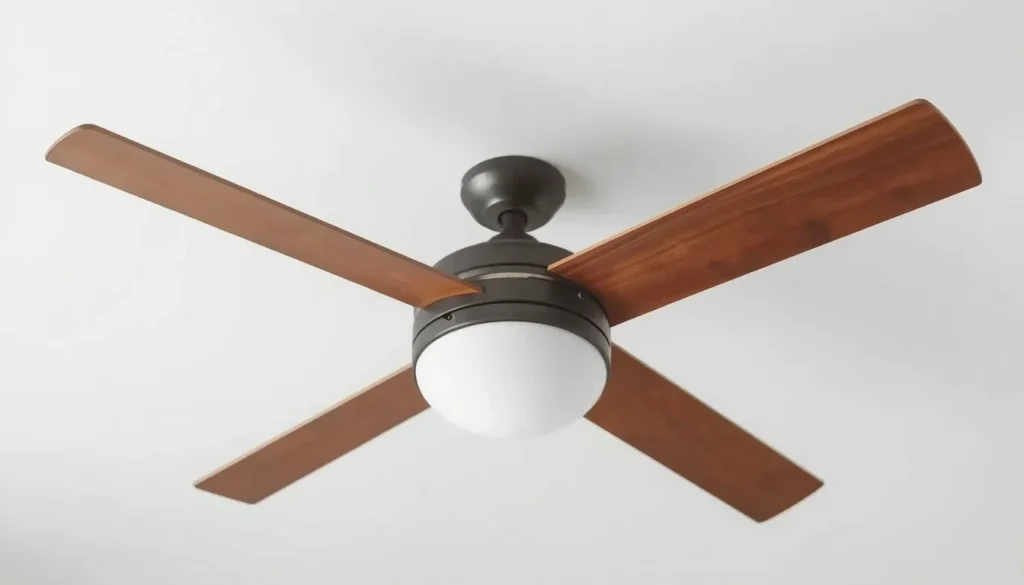
A clicking or ticking sound is one of the more common ceiling fan complaints. It often sounds like a small object tapping repeatedly as the blades rotate.
The noise may become faster as you increase the fan speed because the blades complete more rotations in less time.
Possible causes
- Loose blade screws.
- Loose blade holder screws.
- A vibrating light fixture or glass shade.
- Components touching the motor housing.
- A loose or incorrectly positioned canopy.
- An installation component that has not been fitted properly.
Hunter identifies loose blade and blade-holder screws as common causes of clicking sounds.
How to fix it
Start by switching off the fan and isolating its electrical supply at the circuit breaker or consumer unit.
Once the blades have stopped completely:
- Look at each blade and check for visible damage.
- Inspect the accessible screws connecting the blades to their holders.
- Check whether the light fixture or glass shades appear loose.
- Look for visible gaps or signs of contact between components.
- Follow your fan’s manual when tightening any accessible hardware.
Avoid overtightening screws, as this can damage components.
If the clicking continues after the accessible parts have been checked, the problem may involve an incorrectly installed blade holder or an internal component. Consult the manufacturer or a qualified technician rather than dismantling the motor housing.
For additional guidance, see Hunter’s ceiling fan noise troubleshooting guide.
2. Why Is My Ceiling Fan Making a Rattling Noise?
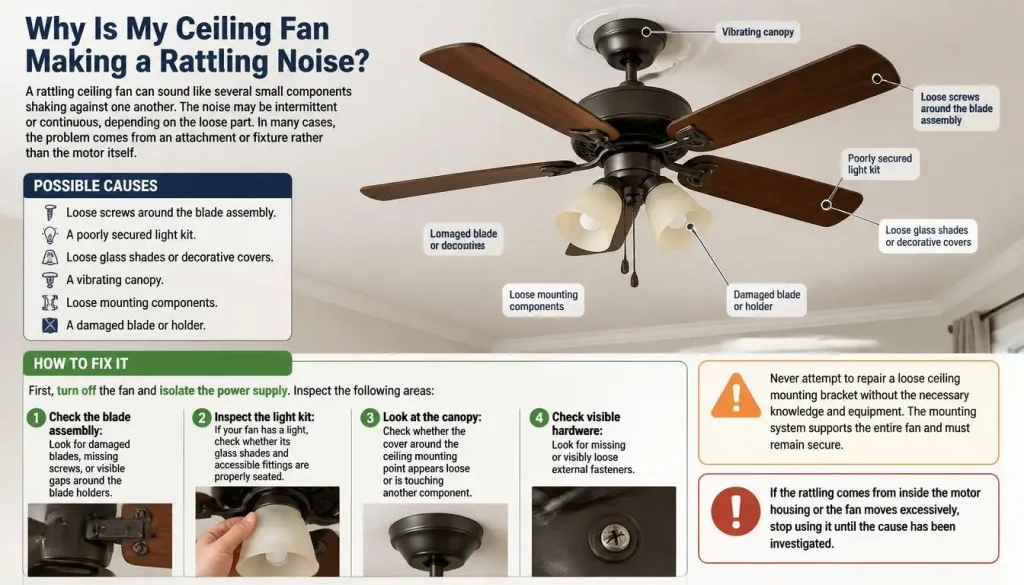
A rattling ceiling fan can sound like several small components shaking against one another. The noise may be intermittent or continuous, depending on the loose part.
In many cases, the problem comes from an attachment or fixture rather than the motor itself.
Possible causes
- Loose screws around the blade assembly.
- A poorly secured light kit.
- Loose glass shades or decorative covers.
- A vibrating canopy.
- Loose mounting components.
- A damaged blade or holder.
How to fix it
First, turn off the fan and isolate the power supply.
Inspect the following areas:
Check the blade assembly: Look for damaged blades, missing screws, or visible gaps around the blade holders.
Inspect the light kit: If your fan has a light, check whether its glass shades and accessible fittings are properly seated.
Look at the canopy: Check whether the cover around the ceiling mounting point appears loose or is touching another component.
Check visible hardware: Look for missing or visibly loose external fasteners.
Never attempt to repair a loose ceiling mounting bracket without the necessary knowledge and equipment. The mounting system supports the entire fan and must remain secure.
If the rattling comes from inside the motor housing or the fan moves excessively, stop using it until the cause has been investigated.
3. Why Is My Ceiling Fan Making a Humming or Buzzing Noise?
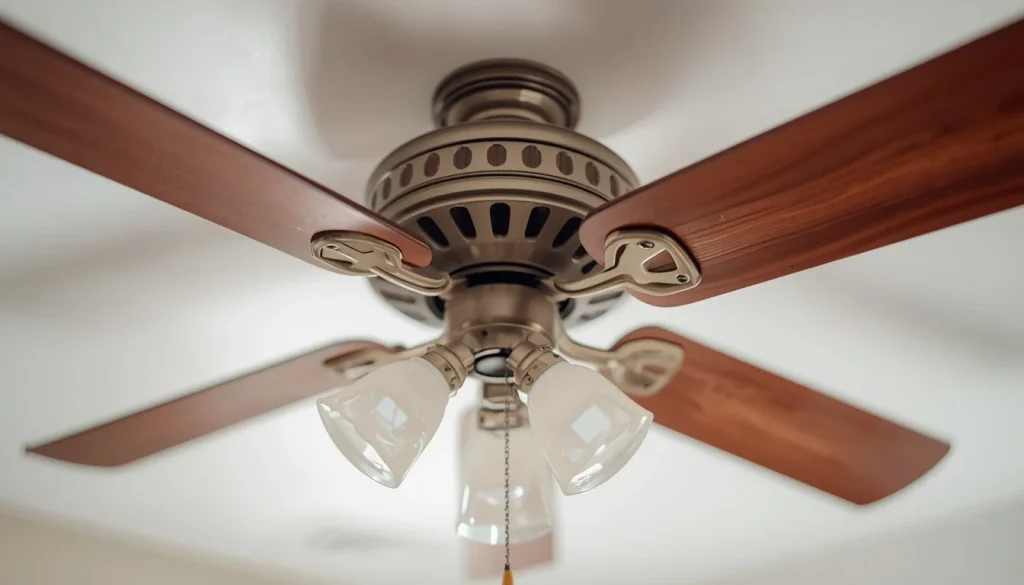
A humming or buzzing sound can be more difficult to diagnose because it may come from the motor, electrical controls, or vibration transferred through the ceiling.
A faint, steady operating sound is not necessarily a problem. However, a new, unusually loud, or increasing electrical hum deserves attention.
Possible causes
- An incompatible fan speed controller.
- A defective remote-control receiver.
- Electrical components producing unwanted noise.
- A motor-related problem.
- Vibration resonating through the ceiling.
- A light dimmer being used with an incompatible fan or light circuit.
Hunter explains that some electronic variable-speed controls can produce humming because they regulate motor speed differently from traditional capacitor-based controls.
How to troubleshoot it
Begin with a simple observation.
Does the humming happen at every speed, or only when you select a particular setting?
If the sound changes significantly between speeds, the control system may be involved.
Next, consider these possibilities:
Check the controller compatibility
A ceiling fan needs a compatible speed controller. An ordinary light dimmer is not a substitute for a fan-rated control.
Using an incompatible control can cause humming, poor operation, or other problems.
Consider the remote receiver
Some remote-controlled fans use an electronic receiver. A faulty or incompatible receiver may contribute to humming.
Do not open the receiver or handle its wiring yourself. Consult the manufacturer’s support team or an electrician.
Check whether the sound comes from the ceiling
Sometimes, vibration from the fan travels through the mounting structure and becomes more noticeable in the room. This can make an otherwise moderate operating sound seem much louder.
If the humming is accompanied by burning smells, heat, crackling, or breaker trips, stop using the fan and seek professional help.
4. Why Is My Ceiling Fan Making a Grinding or Rumbling Noise?
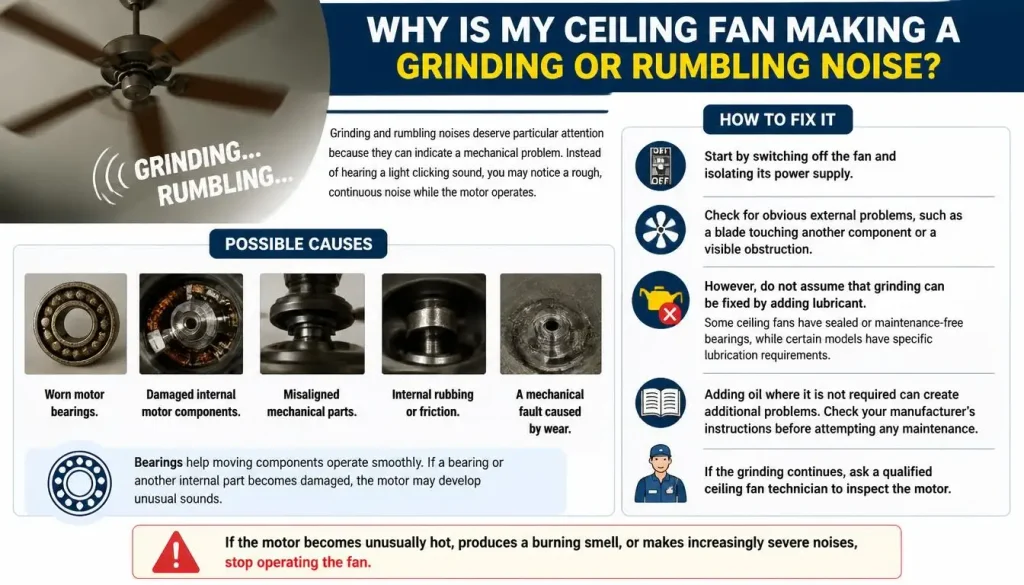
Grinding and rumbling noises deserve particular attention because they can indicate a mechanical problem.
Instead of hearing a light clicking sound, you may notice a rough, continuous noise while the motor operates.
Possible causes
- Worn motor bearings.
- Damaged internal motor components.
- Misaligned mechanical parts.
- Internal rubbing or friction.
- A mechanical fault caused by wear.
Bearings help moving components operate smoothly. If a bearing or another internal part becomes damaged, the motor may develop unusual sounds.
How to fix it
Start by switching off the fan and isolating its power supply.
Check for obvious external problems, such as a blade touching another component or a visible obstruction.
However, do not assume that grinding can be fixed by adding lubricant.
Some ceiling fans have sealed or maintenance-free bearings, while certain models have specific lubrication requirements.
Adding oil where it is not required can create additional problems.
Check your manufacturer’s instructions before attempting any maintenance. If the grinding continues, ask a qualified ceiling fan technician to inspect the motor.
If the motor becomes unusually hot, produces a burning smell, or makes increasingly severe noises, stop operating the fan.
5. Why Is My Ceiling Fan Making a Scraping, Rubbing, or Squeaking Noise?
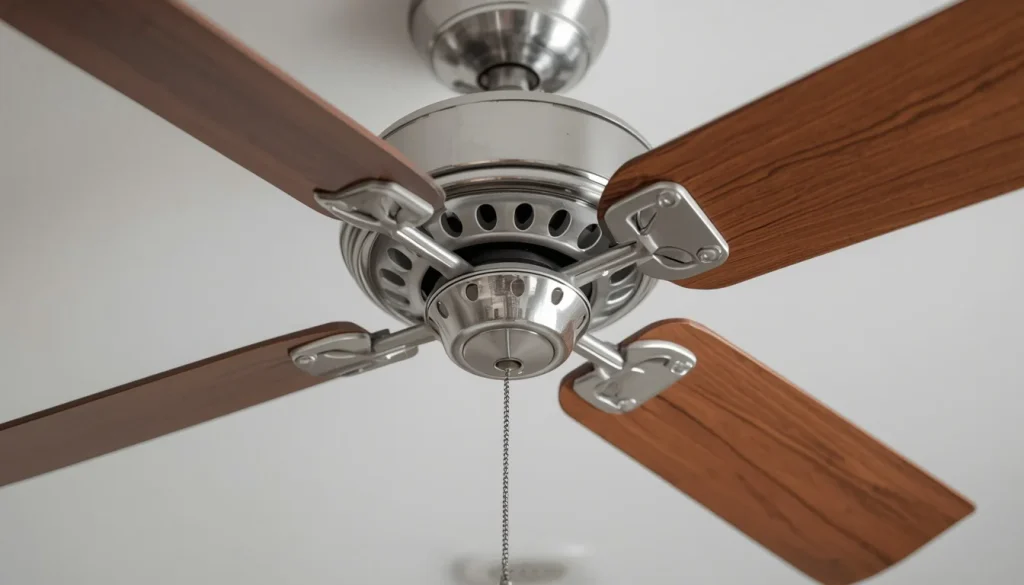
Scraping, rubbing, and squeaking sounds generally suggest that two components may be touching or that friction is occurring somewhere in the assembly.
These noises may be intermittent or become more noticeable as the fan speeds up.
Possible causes
- Misaligned blade holders.
- A blade holder touching the motor housing.
- A loose or incorrectly positioned cover.
- Damaged moving components.
- Friction involving a component that requires model-specific maintenance.
How to identify the problem
Turn off the fan and isolate the power supply.
After the blades have stopped, look around the visible blade holders, motor housing, and canopy.
Check whether:
- Any blade appears visibly bent or damaged.
- A component looks out of position.
- The light assembly or cover is touching another part.
- There are signs of rubbing or unusual wear.
Hunter notes that blade holders fitted incorrectly can touch the motor housing and create rubbing noises.
If the issue appears related to installation, consult the original installation manual or contact a professional.
Do not bend, reposition, or dismantle parts unless the manufacturer specifically provides instructions for doing so.
6. Why Is My Ceiling Fan Making a Whooshing or Wind Noise?
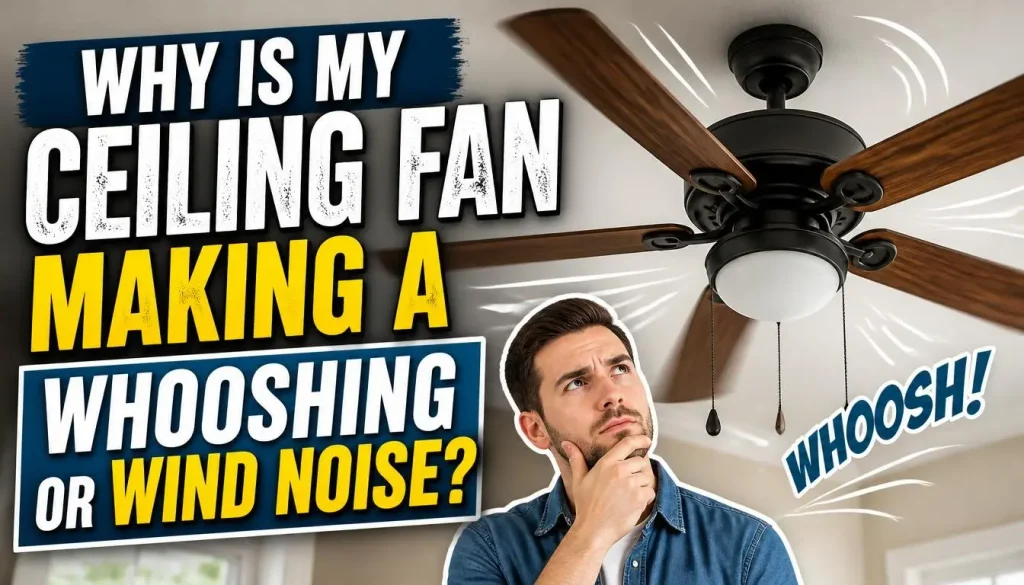
Not every ceiling fan noise indicates a mechanical fault.
A gentle whooshing sound can be a normal result of air moving around the blades. As the fan rotates, its blades push air through the room and create some aerodynamic noise.
However, if the sound is unusually loud, it is worth checking whether something has changed.
Possible causes
- Increased fan speed.
- Blade shape and pitch.
- Air movement around the blades.
- Airflow interacting with nearby objects.
- A blade that is damaged or incorrectly positioned.
How to reduce excessive airflow noise
Start by reducing the fan speed and observing whether the sound becomes less noticeable.
If the noise decreases significantly, normal airflow may be contributing to it.
You can also:
- Check that nearby curtains or other objects are not touching the fan.
- Inspect the blades for visible damage.
- Clean dust from the blades according to the manufacturer’s instructions.
- Compare the sound at different speed settings.
- Check whether the fan is installed and positioned correctly.
Blade design can influence airflow and perceived noise. However, having three blades instead of five does not automatically make a ceiling fan quieter.
If you’re interested in how blade geometry affects performance, read our guides to ceiling fan blade pitch and ceiling fan blade size.
You can also learn how airflow is measured in our ceiling fan CFM explained guide.
7. Why Is My Ceiling Fan Vibrating or Making a Thumping Noise?
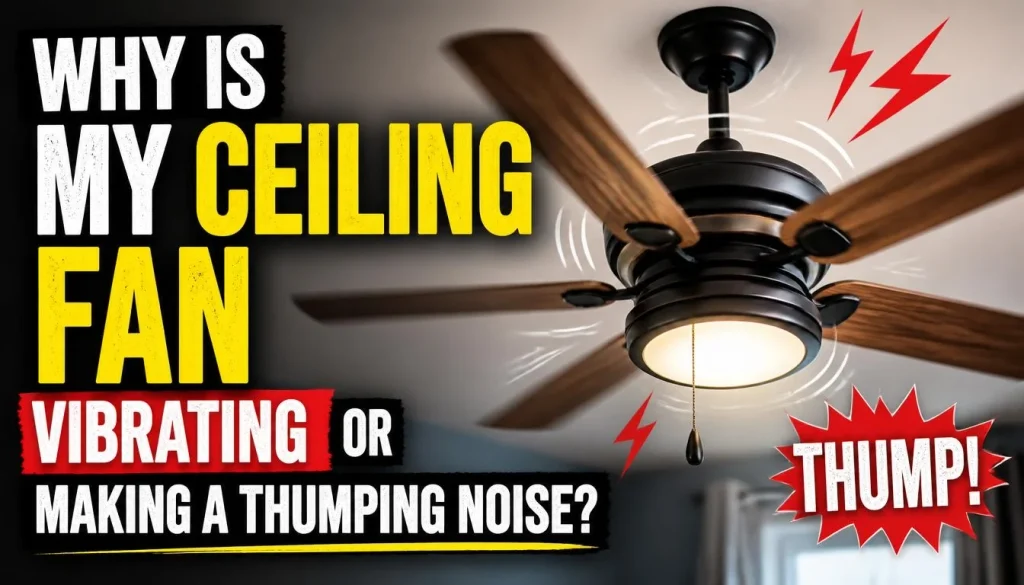
A ceiling fan that vibrates excessively may produce a repetitive thumping sound, particularly when running at higher speeds.
You may also notice that the fan moves from side to side while operating.
A small amount of movement is not automatically evidence of a dangerous fault, but excessive wobbling should never be ignored.
Possible causes
- Unbalanced blades.
- Dust buildup on one or more blades.
- Damaged or warped blades.
- Uneven blade alignment.
- Loose blade fasteners.
- Incorrect installation.
- An unsuitable mounting system.
How to fix a vibrating ceiling fan
Switch off the fan and isolate the power supply before inspecting it.
Step 1: Inspect the blades
Look for cracks, visible damage, twisting, or differences between the blades.
Step 2: Check for dust buildup
Dust can accumulate unevenly and affect the balance of the blade assembly. Clean the blades gently according to the manufacturer’s instructions.
Step 3: Inspect accessible fasteners
Check the visible blade and blade-holder connections for looseness.
Step 4: Consider a balancing kit
Some manufacturers provide balancing clips and weights with their ceiling fans.
A suitable balancing kit may help correct a minor imbalance when the fan is otherwise correctly installed and structurally sound.
Follow the exact instructions supplied with your fan. Do not attempt balancing if the fan has loose mounting hardware, damaged blades, or excessive movement.
Step 5: Check the installation
A ceiling fan must be attached to a suitable support system designed to carry its weight and handle the movement produced during operation.
If the fan moves excessively or the ceiling mounting appears unstable, stop using it and contact a qualified installer.
For more detailed instructions, see Hunter’s ceiling fan balancing guide.
8. Why Is My Ceiling Fan Making a Crackling or Sizzling Noise?
A crackling or sizzling sound is different from ordinary fan noise.
It may indicate an electrical fault, including possible arcing or damaged electrical connections.
This is one situation where you should not attempt a DIY repair.
Warning signs include:
- Crackling or sizzling sounds.
- A burning or unusual electrical smell.
- Visible sparks.
- Smoke.
- Discoloured components.
- Unusual heat around electrical parts.
- Repeated circuit breaker trips.
What should you do?
Turn off the ceiling fan immediately.
If you can safely access the electrical circuit breaker, switch off the circuit supplying the fan. Do not touch the fan, canopy, or exposed electrical components.
Contact a qualified electrician to investigate the problem.
Never remove electrical covers, tighten wiring connections, or attempt to repair a receiver while the circuit is energised.
Electrical Safety First also advises people not to ignore arcing or crackling sounds, overheating, or repeated breaker problems.
You can read its electrical safety guidance for more information.
Why Is My Ceiling Fan Making Noise Only at Certain Speeds?
Some ceiling fans operate quietly at one speed but become noisy when you increase or decrease the setting.
This difference can help narrow down the possible cause.
Why Is My Ceiling Fan Noisy at High Speed?
A fan running at high speed moves more air and produces more airflow noise.
However, excessive clicking, vibration, or rattling at high speed may indicate:
- An unbalanced blade assembly.
- Loose external components.
- A damaged blade.
- An installation issue.
- A mechanical problem that becomes more noticeable as rotational speed increases.
If the noise is accompanied by excessive wobbling, stop using the fan until the cause has been checked.
Why Does My Ceiling Fan Make Noise at Low Speed?
A humming or buzzing sound at low speed may involve the electronic speed controller, motor, or receiver.
Some fans also make certain mechanical sounds more noticeable at lower speeds because the room is otherwise quiet and the fan is producing less airflow noise.
Observe whether the sound disappears at another setting or continues regardless of speed.
A persistent electrical hum, especially when accompanied by other warning signs, should be investigated.
Why Does My Ceiling Fan Vibrate More at High Speed?
Higher rotational speeds can make an existing imbalance or loose component more noticeable.
Dust buildup, blade damage, loose fasteners, or a mounting problem may all contribute.
Do not continue running a fan that develops excessive movement at higher speeds. Switch it off and investigate the cause safely.
Why Is My New Ceiling Fan Making Noise?
Buying a new ceiling fan does not guarantee that it will operate silently from the first day.
If your recently installed fan makes an unusual noise, the installation and control system are worth checking before assuming that the motor is defective.
Common causes include:
- Incorrect installation.
- Loose blade or light assembly connections.
- Misaligned blade holders.
- An incompatible speed controller.
- An improperly secured mounting system.
- A manufacturing defect.
What should you do?
First, check that the fan was assembled according to the manufacturer’s instructions.
Next, inspect accessible external components for visible problems.
If the fan was professionally installed, contact the installer and explain when the noise started.
For a newly purchased fan, keep the receipt, model number, and warranty information.
Do not assume that every new ceiling fan needs a break-in period to become quiet. Follow the manufacturer’s instructions for your particular model.
If the noise comes from the motor, electrical controls, or mounting system, request a proper inspection rather than attempting to modify the installation yourself.
If you are considering replacing an unsuitable fan, our guide on how to choose the right ceiling fan explains what to consider before buying another model.
Why Does My Ceiling Fan Make Noise When the Light Is On?
If your ceiling fan becomes noisy only when the light is switched on, the lighting assembly or its electrical controls may be involved.
This symptom can help narrow down the source of the problem.
Possible causes
- A loose glass light shade.
- A vibrating light kit.
- An incorrectly seated bulb.
- A light fixture component touching another part.
- An incompatible dimmer or lighting control.
- An electrical fault.
How to troubleshoot it
First, turn off the fan and isolate the power supply.
Allow the light bulbs and surrounding components to cool.
Then check for visibly loose shades, covers, or other accessible components.
Make sure any replacement bulbs meet the manufacturer’s specifications, including the correct type and maximum permitted wattage.
If the noise sounds electrical rather than mechanical, avoid opening the light assembly or touching its wiring.
Contact a qualified electrician if you hear buzzing, crackling, or sizzling when the light is switched on.
How to Troubleshoot a Noisy Ceiling Fan Step by Step
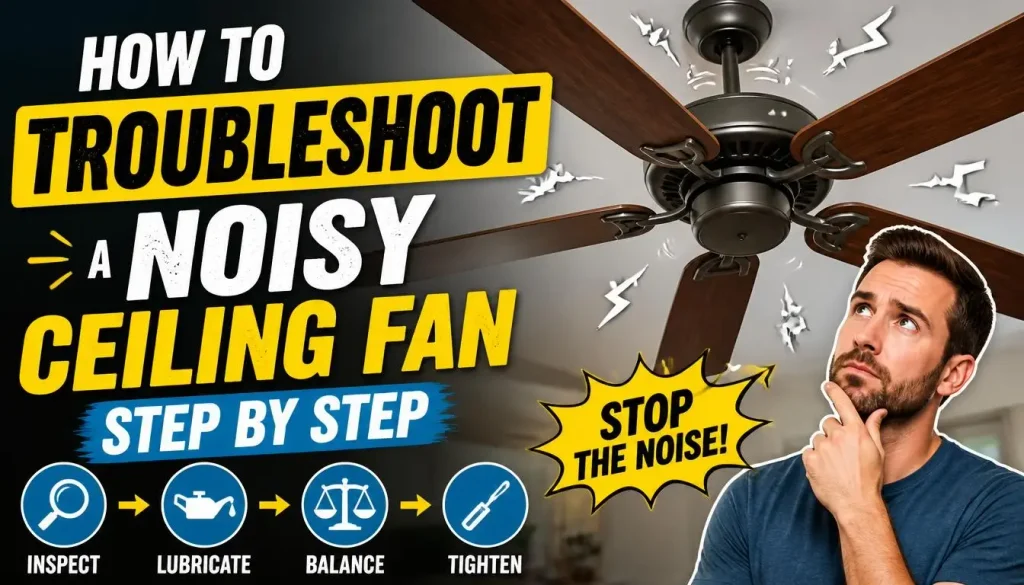
If you’re unsure where to start, follow this troubleshooting sequence.
It focuses on observations and basic external checks rather than complicated repairs.
Step 1: Turn Off the Fan and Isolate the Power
Before inspecting the fan, switch it off and wait until the blades stop completely.
Isolate the electrical supply at the appropriate circuit breaker or consumer unit.
A wall switch or remote control alone should not be treated as sufficient isolation when you are inspecting or touching components.
Never work on live electrical connections.
Step 2: Inspect the Fan Blades
Look for visible cracks, warping, damage, or uneven positioning.
Check whether dust has accumulated heavily on one side of the blade assembly.
Clean the blades carefully if necessary, following the manufacturer’s maintenance instructions.
Step 3: Check Accessible Screws and Fasteners
Inspect the visible blade and blade-holder connections.
Look for loose, missing, or damaged screws.
Tighten accessible fasteners only as directed by the manufacturer’s manual.
Do not attempt to repair structural mounting connections unless you are qualified to do so.
Step 4: Inspect the Light Kit
If your fan has an integrated light, check the visible fixture components.
Look for loose glass shades, covers, or incorrect bulb fittings.
Make sure the light components are compatible with your specific fan model.
Step 5: Look for Blade Imbalance
Check whether the blades appear evenly positioned.
If the fan has no visible blade damage or mounting problem, a manufacturer-approved balancing kit may help with minor imbalance.
Follow the supplied instructions carefully.
Step 6: Consider the Mounting System
A ceiling fan requires a suitable support structure.
An ordinary lighting fixture box should not automatically be assumed capable of supporting a ceiling fan.
In the United States, ENERGY STAR recommends an appropriate ceiling-fan-rated electrical box and proper attachment to the building structure.
Requirements vary by location, so use the applicable local electrical regulations and manufacturer’s instructions.
See ENERGY STAR’s ceiling fan installation guidance.
Step 7: Check the Fan Control Compatibility
If your fan hums or buzzes, consider whether it is using the correct wall control, remote receiver, or speed controller.
Check the manufacturer’s documentation for compatible controls.
Do not replace or rewire a controller unless you are qualified to perform the electrical work.
Step 8: Decide Whether Professional Inspection Is Needed
If the noise continues after basic checks, the problem may involve the motor, internal components, wiring, or mounting system.
At this point, a qualified ceiling fan technician or electrician can investigate the issue safely.
Repeatedly switching the fan on to test a suspected mechanical or electrical fault is not a good substitute for proper inspection.
When Should You Stop Using a Noisy Ceiling Fan?
Not every unusual sound means that a ceiling fan is dangerous. However, certain warning signs mean you should stop operating it.
| Warning Sign | What You Should Do |
|---|---|
| Crackling or sizzling | Switch off and isolate power safely |
| Burning smell | Stop using the fan and seek professional help |
| Visible sparks or smoke | Isolate the circuit if safe and contact an electrician |
| Excessive wobbling | Stop the fan and inspect the mounting condition professionally |
| Severe grinding | Stop operating and arrange mechanical inspection |
| Loose ceiling mounting | Do not use the fan until professionally checked |
| Repeated circuit breaker trips | Stop resetting the breaker and contact an electrician |
Your safety should always come before restoring normal operation.
A ceiling fan that is making an unusual electrical noise should never be treated as a routine maintenance problem.
How to Prevent Your Ceiling Fan From Making Noise Again
Once a noisy ceiling fan has been repaired, a little routine attention can help reduce the chance of similar problems returning.
Here are some practical habits worth following.
1. Clean the blades regularly
Dust buildup can affect the balance of the blade assembly. Use an appropriate cleaning method and avoid putting pressure on the blades.
2. Inspect visible hardware periodically
Look for missing screws, loose light shades, or other visible problems. Follow the manufacturer’s maintenance schedule.
3. Use compatible fan controls
Avoid connecting a ceiling fan to an incompatible light dimmer or speed controller.
4. Address unusual sounds early
A small clicking noise may be easier to investigate than a problem that has been allowed to develop into persistent vibration or mechanical damage.
5. Follow the installation manual
Every ceiling fan has specific mounting and maintenance requirements. Keep the manual available so you can check the correct procedures.
6. Avoid unnecessary lubrication
Only lubricate components when the manufacturer specifically requires it. Not every ceiling fan has user-serviceable bearings.
7. Have persistent problems professionally checked
If unusual sounds continue after basic inspection, arrange professional maintenance instead of repeatedly attempting the same adjustments.
Frequently Asked Questions
Why Is My Ceiling Fan Making Noise All of a Sudden?
A ceiling fan may suddenly become noisy because a screw has loosened, a blade has become damaged, dust has accumulated unevenly, or a mechanical or electrical component has developed a fault. The type of noise can help narrow down the possible cause.
Is It Normal for a Ceiling Fan to Make a Humming Sound?
A faint, consistent operating sound may be normal, depending on the model. However, a new or unusually loud hum can indicate a speed controller, receiver, motor, or vibration problem. Check the manufacturer’s guidance if the sound changes or becomes more noticeable.
Why Does My Ceiling Fan Make Noise at Night?
A ceiling fan may seem louder at night because other background sounds disappear when the room becomes quiet. Small clicking, humming, or vibration sounds that are difficult to notice during the day can become more distracting when you’re trying to sleep.
Can Dust Make a Ceiling Fan Noisy?
Yes. Uneven dust buildup can affect blade balance and contribute to vibration. Cleaning the blades according to the manufacturer’s instructions may help reduce this problem.
Should I Oil My Ceiling Fan If It Makes Noise?
Not necessarily. Some older or specific ceiling fan models require lubrication, while many modern designs have sealed or maintenance-free bearings. Always check the manufacturer’s instructions before adding oil.
Is It Safe to Run a Noisy Ceiling Fan?
It depends on the type of noise. A gentle airflow sound may be normal, but severe grinding, excessive wobbling, crackling, burning smells, and visible electrical damage should never be ignored. Stop using the fan when these warning signs appear.
How Can I Make My Ceiling Fan Quieter?
Start by identifying the type of sound. Clean dusty blades, inspect accessible loose components, and check whether the correct speed controller is being used. If the noise comes from the motor, electrical system, or mounting structure, arrange professional inspection.
Why Does My Ceiling Fan Make Noise When I Turn It On?
A ceiling fan may make noise when starting because of loose external components, motor-related issues, an incompatible control, or installation problems. A repeated clicking, grinding, or electrical buzzing sound should be investigated rather than ignored.
Final Thoughts
A noisy ceiling fan does not always mean you need to replace the entire unit. Sometimes the problem is as simple as dust buildup, a loose blade connection, or a vibrating light fixture.
The important thing is to identify the sound before deciding what to do next.
Clicking and rattling may point towards loose external components. Humming and buzzing can involve the motor or speed controller, while grinding and excessive vibration may require professional inspection. Crackling, sizzling, sparks, and burning smells should always be treated as electrical warning signs.
Start with safe visual checks, follow your manufacturer’s maintenance instructions, and avoid attempting electrical repairs unless you are qualified.
A properly installed and maintained ceiling fan should provide comfortable airflow without unnecessary noise. Taking care of unusual sounds early can help keep your fan operating smoothly and make your room more comfortable.

“The right fan can make a bigger difference than you think.”
Hi, I’m Michael Turner, an author and home appliance researcher at BestFanSolve.com.
My interest in fans started with a simple question: How do you know which fan is actually right for your needs? With so many types, features, brands, and technical specifications available, choosing a fan can quickly become confusing. I created BestFanSolve.com to make that process easier.
Through this website, I share practical fan reviews, buying guides, comparisons, troubleshooting tips, maintenance advice, and solutions to common fan problems. I focus on turning complicated product information into clear, useful guidance that everyday readers can actually understand and use.
Whether you’re searching for a quiet bedroom fan, a powerful fan for a large room, an energy-efficient option, or simply trying to figure out why your current fan isn’t working properly, my goal is to help you find the information you need before making a decision.
I believe good recommendations should be based on research, real-world considerations, honest pros and cons, and the specific needs of the user—not simply marketing claims.
Through BestFanSolve.com, I’m committed to helping readers find the right fan, solve common fan problems, and make smarter purchasing decisions with confidence.
— Michael Turner
Author & Home Appliance Researcher
BestFanSolve.com