
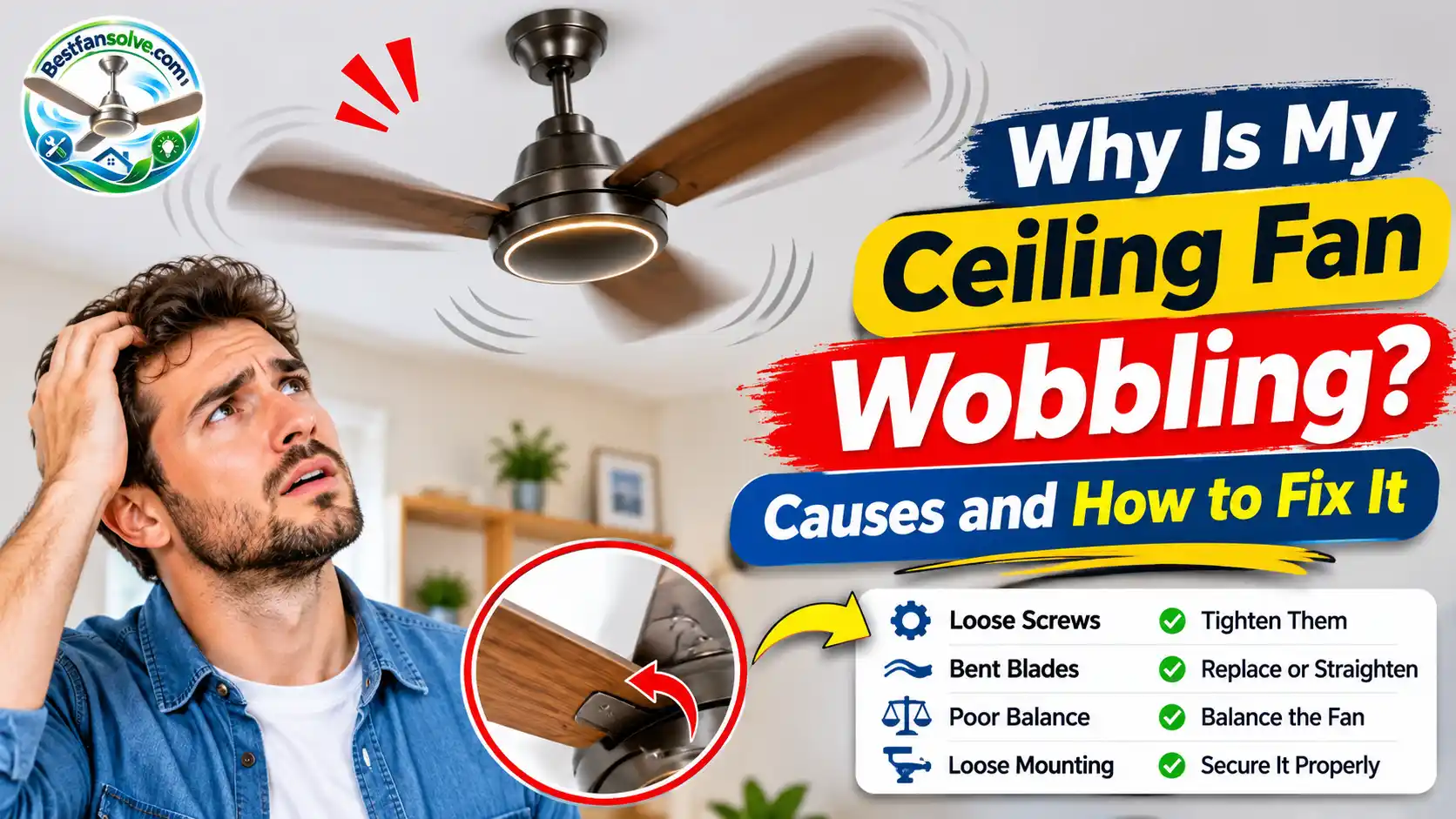
A ceiling fan should run smoothly without shaking from side to side. So when you switch it on and notice the blades moving unevenly, it is natural to wonder: Why is my ceiling fan wobbling?
In many cases, the problem comes from something relatively simple, such as loose blade screws, uneven dust buildup, or blades that are not properly aligned. However, wobbling can also point to a loose downrod connection, an installation problem, or an unsuitable ceiling mounting system.
The important thing is to identify the actual cause before trying to fix it. Tightening a few accessible screws or cleaning the blades may solve a minor problem, but a fan that moves excessively near the ceiling needs more careful attention.
In this guide, you will learn what causes a ceiling fan to wobble, how to identify the source of the movement, how to use a balancing kit, and when it is safer to call a qualified professional.
Is It Normal for a Ceiling Fan to Wobble?
A ceiling fan does not always remain perfectly motionless while running. Depending on its design, installation, and operating speed, you may notice a small amount of movement.
Westinghouse explains that slight movement can be normal, but noticeable wobbling may indicate unbalanced blades or a fan that is not securely attached to the ceiling.
The key is to recognize the difference between minor movement and excessive shaking.
How Much Ceiling Fan Movement Is Normal?
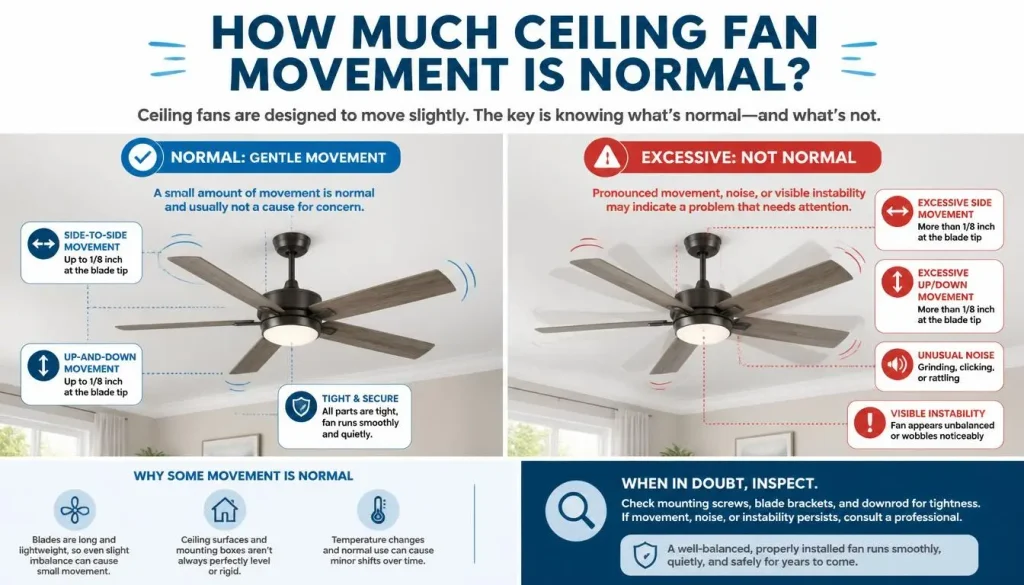
A little movement does not automatically mean your ceiling fan is damaged.
For example, a fan with a longer downrod may show some visible movement while operating. However, that does not mean every long-downrod fan should wobble significantly.
Pay attention to whether the movement is:
- Slight and consistent during normal operation.
- Becoming stronger over time.
- More noticeable when you increase the speed.
- Accompanied by clicking, rattling, or unusual vibration.
- Coming from the entire fan assembly rather than just the blade tips.
There is no single movement limit that applies to every ceiling fan. Check the manufacturer’s instructions for guidance specific to your model.
What Is the Difference Between Wobbling and Swaying?
These terms are sometimes used interchangeably, but they can describe slightly different movements.
Wobbling usually refers to uneven movement of the fan or blade assembly while the motor rotates. It may look as though the fan head is moving in a circular or side-to-side pattern.
Swaying generally describes the fan assembly moving from side to side, particularly when a downrod is used.
Both types of movement deserve attention when they become excessive. A loose connection, incorrect installation, or blade imbalance may contribute to the problem.
When Should You Be Concerned About a Wobbling Fan?
Do not ignore a ceiling fan that suddenly starts shaking more than usual.
Stop operating it if you notice:
- The entire fan moving near the ceiling.
- A loose or separating canopy.
- Visible damage around the ceiling mounting point.
- Cracked blades or visibly bent blade holders.
- Screws or components that appear to be coming loose.
- Severe shaking that becomes worse as the speed increases.
A fan with an unstable mounting system could become a serious safety hazard. Do not keep running it just to see whether the movement improves.
Why Is My Ceiling Fan Wobbling? 7 Common Causes
There are several reasons a ceiling fan may shake while running. Some involve the blades, while others are connected to the downrod, mounting bracket, or installation.
Here are seven common causes worth understanding before attempting a repair.
1. Loose Ceiling Fan Blade and Blade Holder Screws
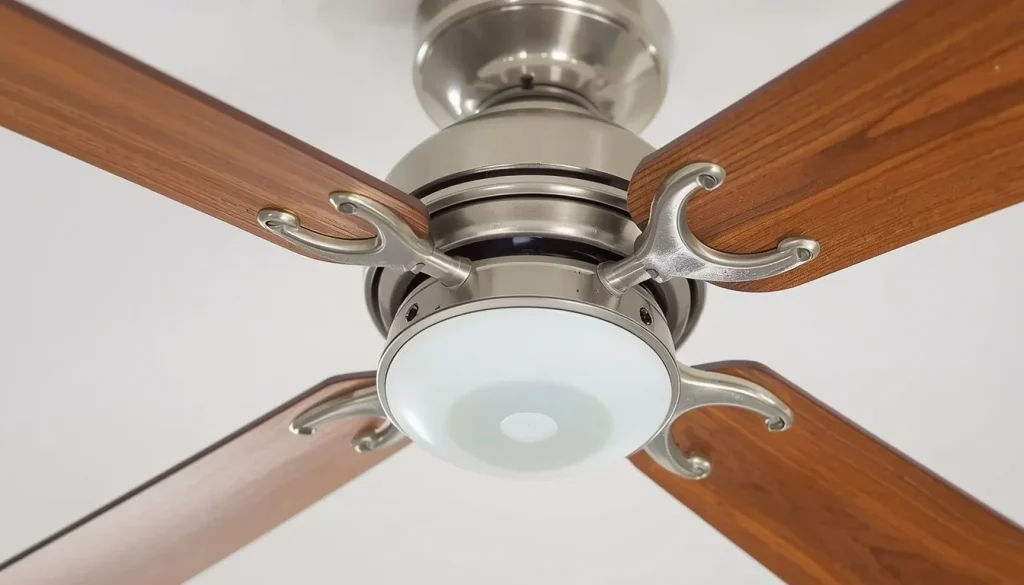
Loose screws are among the first things worth checking when a ceiling fan starts wobbling.
Each blade is attached to a blade holder or bracket, which connects it to the motor assembly. If one or more connections become loose, the blades may no longer rotate in a consistent position.
This can create uneven movement, especially at higher speeds.
Signs to look for:
- One blade appears loose compared with the others.
- A blade holder has visible movement.
- You hear clicking or rattling while the fan operates.
- The wobbling began gradually rather than immediately after installation.
What to do: Switch off the electrical supply before inspecting the fan. Check accessible blade and blade-holder fasteners, then tighten them according to the manufacturer’s instructions.
Do not overtighten the screws. Excessive force can damage the threads or the blade components.
2. Unbalanced Ceiling Fan Blades
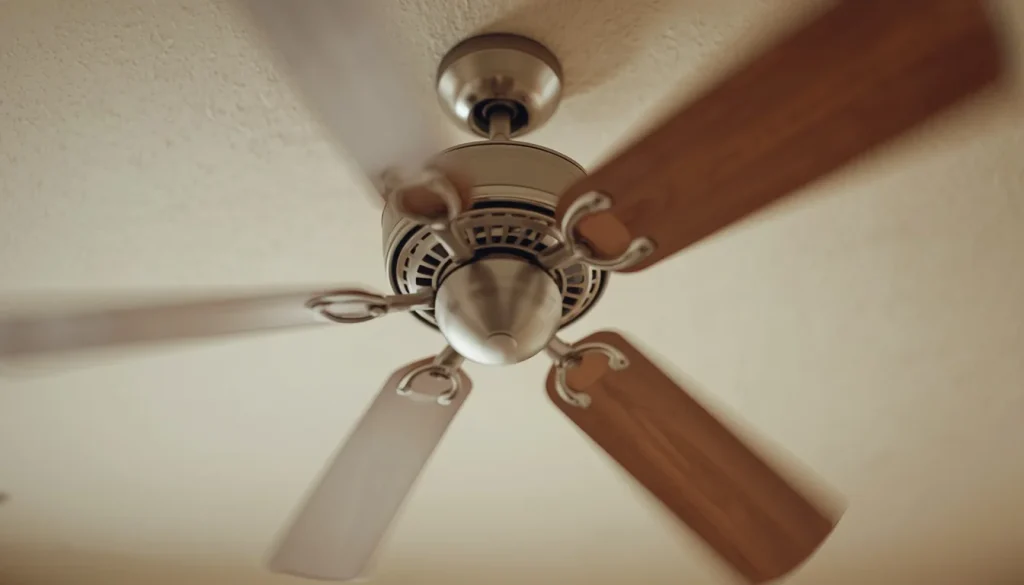
Another common reason for a wobbling ceiling fan is uneven blade weight distribution.
Although manufacturers generally balance blade sets during production, small differences in weight, manufacturing variation, replacement parts, or accumulated dirt can affect the balance.
When one blade is slightly heavier or behaves differently from the others, the rotating assembly may become unstable.
For example, imagine a five-blade fan in which one blade has a slightly different weight distribution. As the fan rotates, the imbalance can create visible movement.
Signs of unbalanced blades:
- The fan shakes more at certain speeds.
- The blades appear undamaged but the fan still wobbles.
- The wobbling continues after cleaning and checking accessible screws.
- The movement changes when a balancing clip is temporarily tested on different blades.
What to do: First confirm that the fan is properly installed and its blades are in good condition. If the mounting is secure and no damaged components are present, a compatible ceiling fan balancing kit may help correct a minor imbalance.
3. Uneven Blade Alignment or Incorrect Blade Tracking
Sometimes the blades are not positioned at the same height.
This is known as uneven blade tracking. Even when the blades look similar, one may sit slightly higher or lower than the others.
Differences can result from incorrectly installed blade holders, loose connections, or damaged components.
How to recognize it:
- One blade appears lower than the rest.
- The distance between the blade tips and ceiling looks uneven.
- The fan continues to wobble despite having clean blades.
- The problem started after replacing or reinstalling blades.
What to do: Compare the height of each blade using the same fixed reference point.
If one blade is noticeably different, inspect its accessible mounting screws and blade-holder connection. Follow your fan manual before making adjustments.
Never force a blade or metal arm into position. Some manufacturers provide model-specific adjustment procedures, but bending components without those instructions can cause further damage.
4. Dust and Dirt Buildup on Fan Blades
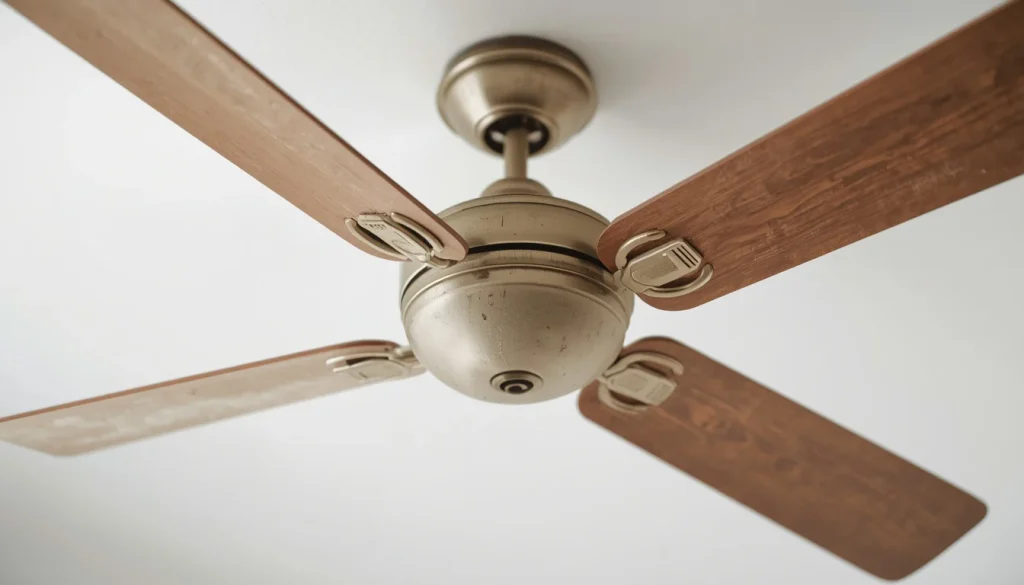
Dust might seem harmless, but uneven buildup can affect the weight distribution of a ceiling fan.
Think about a fan that has not been cleaned for several months. Dust gradually accumulates on the upper surfaces of the blades. If the buildup is heavier on one blade than another, it may contribute to imbalance.
Dust can also collect around the motor housing and blade holders.
Signs of dust-related imbalance:
- The blades have visible dirt or dust.
- The fan developed wobbling gradually.
- One blade appears noticeably dirtier than the others.
- Cleaning has not been part of the fan’s regular maintenance.
What to do: Turn off the fan and allow the blades to stop completely. Clean the upper and lower surfaces of every blade using a suitable duster or soft microfiber cloth.
Clean all blades evenly and avoid putting pressure on them.
Once everything is dry, check for visible damage and loose components before testing the fan again.
Regular cleaning can help reduce the chance of dust-related balance problems.
5. Bent, Warped, or Damaged Blades and Blade Arms
A ceiling fan blade does not need to be visibly broken to cause a balance problem.
A slightly warped, twisted, or bent blade may behave differently from the others. The same can happen when a metal blade arm or holder becomes distorted.
Damage may occur during installation, cleaning, transportation, or everyday use.
Common warning signs include:
- A blade looks twisted or curves differently from the others.
- One blade appears to sit at an unusual angle.
- A blade has cracks, chips, or visible damage.
- One metal blade holder looks different from the others.
What to do: Stop using the fan if you discover a cracked blade, visibly damaged blade arm, or another structural problem.
A damaged blade should generally be replaced with a part compatible with the exact fan model. Do not assume that a blade with the same length will fit correctly. Its weight, mounting pattern, and overall compatibility also matter.
Before ordering replacement parts, check your fan’s model number and manufacturer’s parts list.
For more information about selecting compatible blade dimensions, see our Ceiling Fan Blade Size Guide.
6. Loose Downrod, Hanger Ball, or Set Screws
The downrod connects the fan motor assembly to the ceiling mounting system on many ceiling fans.
A typical downrod installation may include a hanger ball, retaining hardware, and set screws. These components help keep the fan properly positioned.
If a connection is loose or the hanger ball is not correctly seated, the fan may move excessively during operation.
Possible signs include:
- The fan assembly sways from side to side.
- The movement appears to come from above the motor.
- The fan began wobbling after installation or maintenance.
- The downrod connection looks unusual or unstable.
What to check:
- Whether the hanger ball is correctly seated in its mounting bracket.
- Whether the manufacturer’s specified downrod fasteners are present.
- Whether the set screws are secure.
- Whether the canopy or mounting components appear loose.
The exact arrangement varies by fan model.
Do not remove the canopy or expose electrical wiring unless you are qualified to work on the installation. If the connection appears loose, stop using the fan and arrange an inspection by a qualified installer or electrician.
7. Improper Ceiling Fan Mounting or Installation
A ceiling fan needs a suitable support system. An ordinary light fixture box should not automatically be considered strong enough to support a rotating ceiling fan.
If the electrical box, mounting bracket, or supporting structure is not appropriate for the fan, the entire assembly may become unstable.
This is more concerning than ordinary blade imbalance because the mounting system supports the weight of the fan.
In the United States, ENERGY STAR recommends an appropriately rated electrical box designed for ceiling fans and proper attachment to the supporting structure. Other countries have their own electrical and building requirements, so homeowners should follow the applicable local regulations.
Warning signs of an installation problem:
- The fan moves where it connects to the ceiling.
- The mounting bracket appears loose.
- The canopy is separating from the ceiling.
- The ceiling material around the mounting point is cracked or damaged.
- The fan developed excessive movement shortly after installation.
What to do: Stop using the fan if you suspect an unstable ceiling mount. Do not attempt to tighten structural mounting hardware or repair electrical connections unless you are qualified.
A licensed electrician or qualified ceiling fan installer should inspect the mounting system.
Why Does My New Ceiling Fan Wobble After Installation?
It can be frustrating to install a new ceiling fan and notice that it shakes from the first time you turn it on.
However, a new fan is not necessarily defective just because it wobbles. Assembly, installation, and mounting problems should be considered before assuming the motor is faulty.
Here are some things that may explain the movement.
Incorrect Blade or Blade Arm Assembly
Many ceiling fans require the blades and blade holders to be attached during installation.
If a blade is fitted incorrectly, or its screws are not secured according to the instructions, the blade assembly may become uneven.
Check that:
- Every blade is installed in the correct position.
- The blade holders are attached correctly.
- All required fasteners are present.
- No blade has been damaged during unpacking or installation.
Hanger Ball Not Seated Correctly
On many downrod-mounted fans, the hanger ball must sit correctly inside the mounting bracket.
If it is not aligned with the bracket’s designated groove or support point, the fan may not hang properly.
This is not a good place for trial-and-error adjustments. The correct seating method depends on the fan design, so follow the installation manual or contact the installer.
Loose Mounting Bracket or Downrod Connection
A mounting bracket, downrod set screw, or other connection that has not been secured properly can affect the stability of a newly installed fan.
The fan should be installed using a support system suitable for its weight and design.
If the entire fan assembly moves near the ceiling, stop using it and have the mounting arrangement inspected.
Incorrectly Installed or Incompatible Replacement Blades
If you installed replacement blades on a new or existing ceiling fan, check whether they are approved for that exact model.
Blades that look similar may have different weights, dimensions, or mounting arrangements.
Using incompatible parts can create performance and balance problems.
Always use manufacturer-approved replacement parts whenever possible.
How to Identify the Cause of a Wobbling Ceiling Fan
Instead of immediately replacing the fan or purchasing a balancing kit, look at when and how the wobbling happens.
The symptoms can help narrow down the possible cause.
| What You Notice | Possible Cause |
|---|---|
| Fan wobbles mainly at high speed | Existing blade imbalance or loose component becoming more noticeable |
| Fan wobbles at every speed | Uneven blades, damaged parts, or an installation problem |
| Wobbling starts after cleaning | A blade or component may have shifted or been damaged during cleaning |
| One blade looks lower than others | Uneven blade tracking or a blade-holder issue |
| Entire fan moves near the ceiling | Possible mounting or support problem |
| New fan wobbles immediately | Assembly, installation, or mounting issue |
| Fan still wobbles after cleaning | Blade imbalance, damaged components, or another underlying problem |
These are clues, not guaranteed diagnoses. More than one issue can produce similar symptoms.
If you notice movement around the ceiling mounting point, do not keep testing the fan at different speeds. Have the support system inspected first.
How to Fix a Wobbling Ceiling Fan: Step-by-Step Guide
The safest way to approach a wobbling ceiling fan is to start with basic visual checks and work through the possible causes.
However, not every repair is suitable for DIY work. Anything involving electrical wiring, structural mounting, or damaged support components should be handled by a qualified professional.
Step 1. Turn Off the Power Before Inspecting the Fan
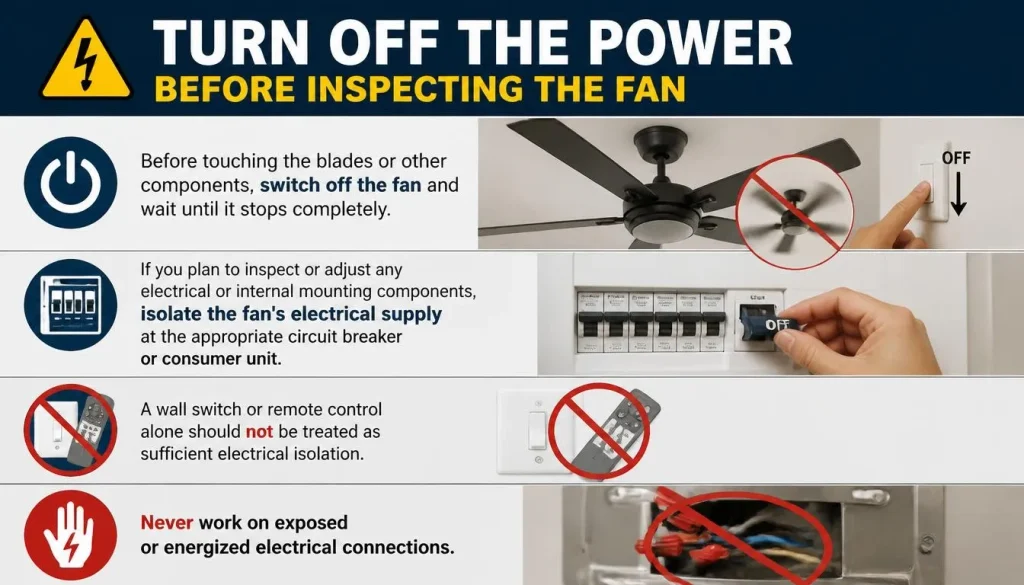
Before touching the blades or other components, switch off the fan and wait until it stops completely.
If you plan to inspect or adjust any electrical or internal mounting components, isolate the fan’s electrical supply at the appropriate circuit breaker or consumer unit.
A wall switch or remote control alone should not be treated as sufficient electrical isolation.
Never work on exposed or energized electrical connections.
Step 2. Clean All Ceiling Fan Blades
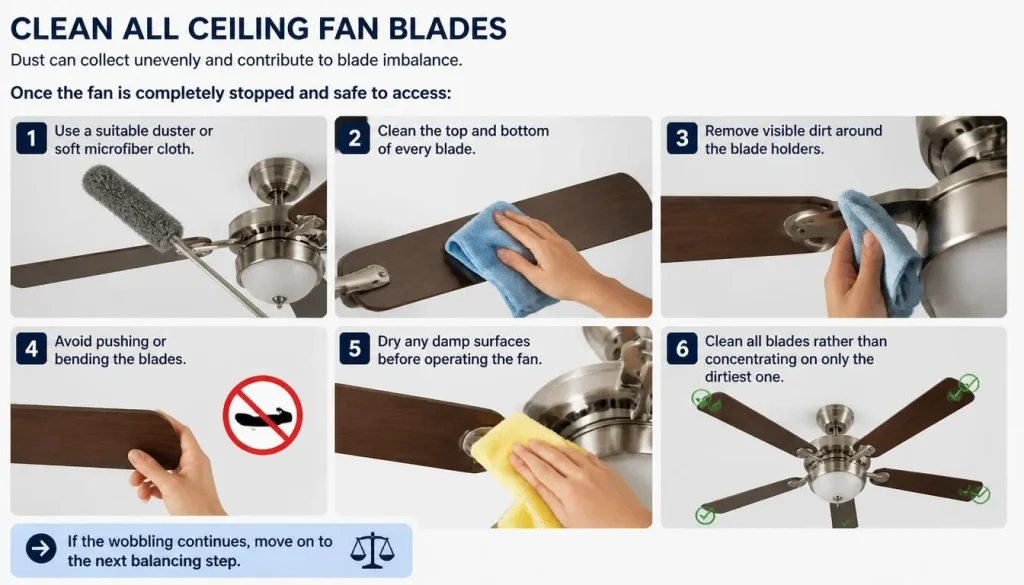
Dust can collect unevenly and contribute to blade imbalance.
Once the fan is completely stopped and safe to access:
- Use a suitable duster or soft microfiber cloth.
- Clean the top and bottom of every blade.
- Remove visible dirt around the blade holders.
- Avoid pushing or bending the blades.
- Dry any damp surfaces before operating the fan.
Clean all blades rather than concentrating on only the dirtiest one.
If the wobbling continues, move on to the next inspection.
Step 3. Check and Tighten Accessible Blade Screws
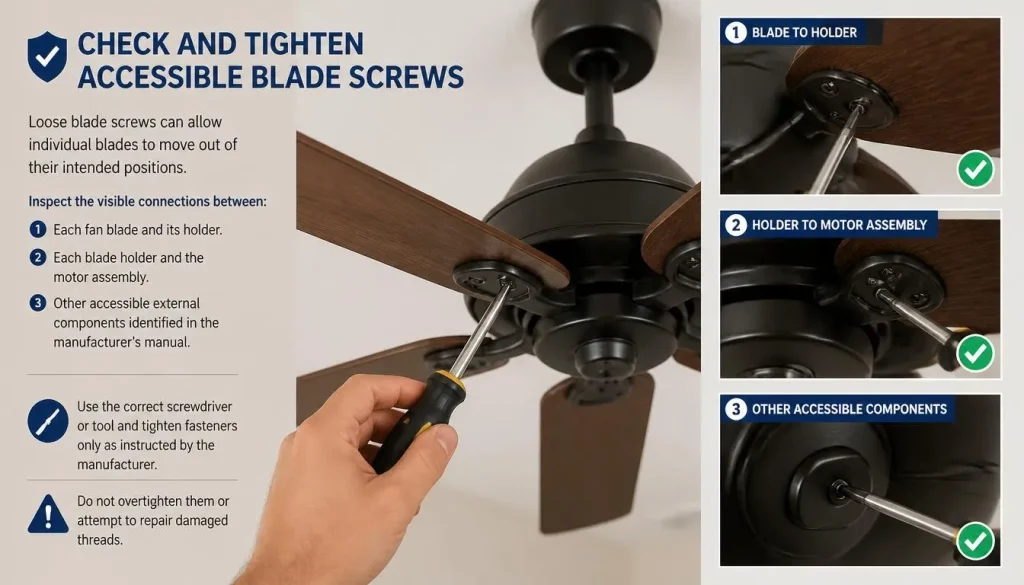
Loose blade screws can allow individual blades to move out of their intended positions.
Inspect the visible connections between:
- Each fan blade and its holder.
- Each blade holder and the motor assembly.
- Other accessible external components identified in the manufacturer’s manual.
Use the correct screwdriver or tool and tighten fasteners only as instructed by the manufacturer.
Do not overtighten them or attempt to repair damaged threads.
Step 4. Check Ceiling Fan Blade Alignment and Tracking
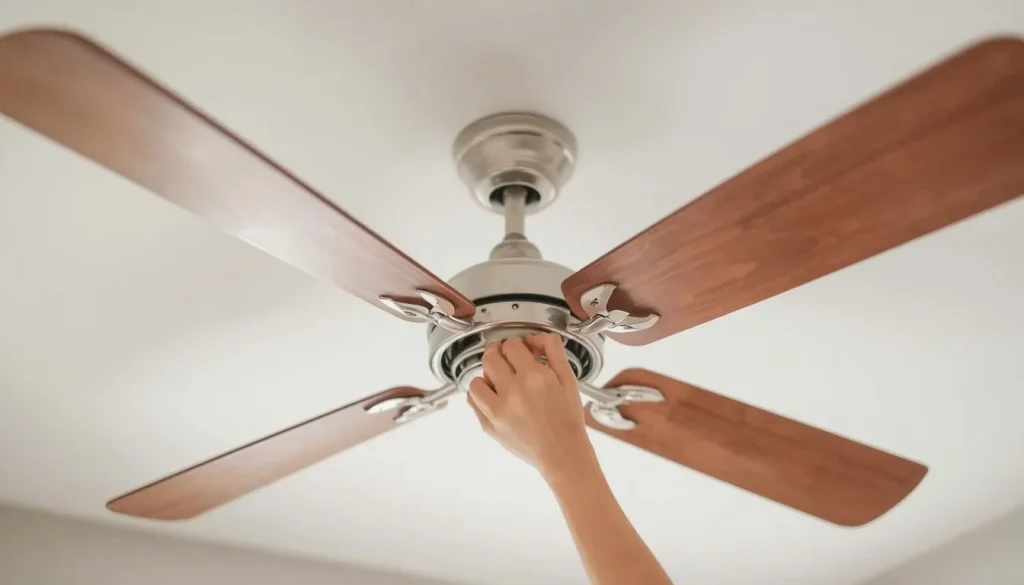
Uneven blade tracking can make a fan wobble even when the blades are clean and the screws appear tight.
You can make a basic comparison without removing the blades.
- Make sure the fan is switched off and completely stopped.
- Choose one fixed point on the ceiling above a blade tip.
- Measure the vertical distance between that point and the blade tip.
- Rotate the fan by hand only when it is safe to do so, positioning the next blade at the same reference point.
- Repeat the measurement for each blade.
If one blade sits noticeably higher or lower, its holder or connection may be misaligned.
Do not bend the blade, blade arm, or mounting bracket to correct the difference unless the manufacturer specifically provides an approved adjustment procedure.
Step 5. Inspect Blades and Blade Arms for Damage
Look closely at each blade and its supporting arm.
Check for:
- Cracks or missing pieces.
- Warped or twisted blade surfaces.
- Bent metal blade holders.
- Different blade shapes or sizes.
- Signs of previous repairs or damage.
If you find a damaged component, stop operating the fan until it has been replaced or inspected.
Use replacement parts specifically approved for your fan model. A visually similar blade may not have the correct weight or mounting arrangement.
Step 6. Check the Downrod and Hanger Ball Connection
A downrod-mounted fan relies on correctly fitted connections between the motor, downrod, hanger ball, and ceiling bracket.
A loose connection can contribute to swaying or excessive movement.
Look for visible signs of:
- A misaligned canopy.
- A loose-looking downrod connection.
- A hanger ball that may not be seated correctly.
- Missing or damaged external hardware.
Do not dismantle the ceiling mount or expose wiring just to investigate a suspected problem.
If you are unsure about the connection, contact the original installer or a qualified electrician.
Step 7. Verify the Ceiling Fan Mounting Support
The fan must be attached to a support system designed to carry its weight and handle the forces produced during operation.
In the United States, this generally means an appropriately listed fan-rated electrical box secured to suitable structural support. ENERGY STAR provides further information in its ceiling fan installation and usage guidance.
Requirements differ across the USA, UK, Canada, and Australia, so the installation must also comply with the applicable local electrical and building regulations.
If the fan moves at the ceiling connection, the bracket appears loose, or the ceiling shows signs of damage, stop using the fan. Arrange professional inspection rather than trying to stabilize the assembly yourself.
Step 8. Use a Ceiling Fan Balancing Kit
If the fan is properly mounted, its accessible fasteners are secure, and there is no visible blade damage, a balancing kit may help correct a minor blade imbalance.
Most basic kits include:
- A plastic balancing clip.
- Small adhesive balancing weights.
- Instructions for identifying the problem blade.
The exact process depends on the kit and fan model.
Do not attempt balancing until you have ruled out loose mounting hardware, damaged blades, and other structural problems.
How to Balance a Ceiling Fan With a Balancing Kit
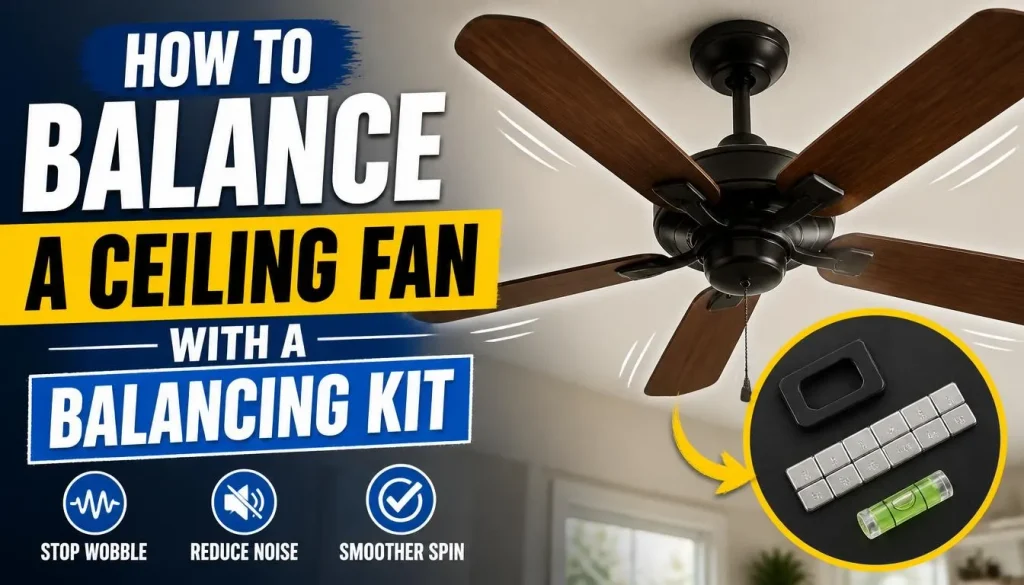
A ceiling fan balancing kit is designed to help correct small differences in blade weight distribution.
It is not a replacement for fixing loose mounting hardware or damaged blades. If the fan has a structural problem, correct that first.
What Comes in a Ceiling Fan Balancing Kit?
A typical kit contains a small plastic clip and several adhesive weights.
The clip is temporarily attached to a blade to help identify where balance needs improvement. Once you find the most effective position, a suitable weight is attached to the blade according to the kit instructions.
Some manufacturers provide balancing kits with their fans. Others may offer them separately.
How to Find the Unbalanced Blade
Start by checking the manufacturer’s instructions.
The general testing process is:
- Make sure the fan is properly installed and all required fasteners are secure.
- Confirm that the blades are clean and undamaged.
- With the fan completely stopped, attach the balancing clip to the position specified in the kit instructions on one blade.
- Make sure the clip is fitted securely.
- Stand clear and test the fan as directed by the manufacturer.
- Switch off the fan and allow the blades to stop completely.
- Move the clip to the next blade.
- Repeat the process to identify which blade produces the least wobbling.
Never move a clip, attach a weight, or reach towards a blade while the fan is rotating.
How to Position the Balancing Clip
After identifying the blade that appears to respond best to the balancing clip, you may need to adjust its position.
Follow the kit instructions to move the clip along the blade and repeat the test.
Make small changes rather than moving it randomly.
Each time you reposition the clip, switch off the fan and wait until the blades stop completely before touching anything.
How to Attach the Balancing Weight
Once you have identified the most effective position:
- Switch off the fan and wait for it to stop.
- Remove the temporary clip as instructed.
- Attach the adhesive balancing weight at the selected position.
- Press it securely into place.
- Check that the weight is suitable for your fan and does not interfere with other components.
Some fans may require more than one weight, but always follow the balancing kit’s instructions.
How to Test the Fan After Balancing
Once the weight is installed, stand clear and operate the fan according to the manufacturer’s testing instructions.
Observe whether the movement has improved.
If the fan still wobbles excessively, stop using it rather than repeatedly adding weights. The cause may be damaged blades, incorrectly aligned components, or an installation problem that balancing cannot correct.
For a visual explanation of the balancing process, see Hunter’s official ceiling fan wobbling and balancing guide.
Can a Wobbling Ceiling Fan Fall or Become Dangerous?
A wobbling ceiling fan does not automatically mean it is about to fall. However, severe movement can indicate a problem with the mounting system, loose components, or damaged parts.
The important distinction is whether the blades are slightly uneven or the entire fan is moving at its ceiling connection.
A loose fan support should never be treated as an ordinary balancing issue.
Warning Signs of an Unsafe Ceiling Fan
Stop operating the fan if you notice:
- The mounting bracket or canopy moving.
- Visible gaps developing around the ceiling connection.
- Cracks or damage around the support area.
- Severe shaking or rapidly increasing movement.
- Loose or damaged blade holders.
- Parts separating from the fan assembly.
If you suspect the fan could come loose, keep people away from the area until it has been inspected.
Why a Fan-Rated Electrical Box and Proper Support Matter
A ceiling fan creates movement while rotating. Its mounting system must be suitable for both the fan’s weight and the forces associated with operation.
In the United States, ENERGY STAR recommends using an electrical box specifically rated for ceiling fans and attaching the installation to appropriate structural support.
The same general safety principle applies elsewhere, although the exact approved components and requirements vary by country.
A standard lighting box should not be assumed to provide adequate fan support.
When to Stop Using the Fan Immediately
Turn off the fan if it:
- Shakes severely.
- Moves at the ceiling mounting point.
- Makes the canopy or bracket appear unstable.
- Has a cracked blade or damaged support component.
- Produces unusual electrical sounds, sparks, smoke, or a burning smell.
Do not attempt to balance a fan that may have an unstable mounting system.
When Should You Call an Electrician or Ceiling Fan Professional?
Some ceiling fan problems are straightforward, but others require specialist knowledge.
A professional inspection is the safer option when the problem involves the electrical supply, mounting structure, or internal fan components.
The Ceiling Fan Mounting Box Is Loose
If the fan moves where it connects to the ceiling, the mounting system may not be secure.
A qualified electrician or installer should inspect the support and determine whether the electrical box and structural attachment are appropriate.
The Ceiling or Mounting Structure Is Damaged
Cracks, movement, or visible deterioration around the mounting point should not be ignored.
Do not try to hide the problem by tightening unrelated screws or adding balancing weights.
The supporting structure needs to be assessed before the fan is used again.
The Fan Continues to Shake After Balancing
If cleaning, checking accessible fasteners, and using an appropriate balancing kit have not improved the problem, something else may be wrong.
The fan could have a damaged blade arm, an incorrect installation, or a mechanical fault.
A professional can inspect the fan more thoroughly and determine whether a repair or replacement is appropriate.
You Notice Damaged Wiring or Electrical Components
Burning smells, sparks, crackling, damaged insulation, or repeated circuit-breaker trips are electrical warning signs.
Switch off the power safely and contact a qualified electrician.
Never attempt to repair exposed wiring or electrical components unless you are properly qualified.
How to Prevent Your Ceiling Fan From Wobbling Again
A little routine maintenance can help reduce the chances of wobbling returning.
Here are some practical habits to follow:
- Clean the blades regularly: Remove dust from all blade surfaces to prevent uneven buildup.
- Inspect accessible fasteners: Look for missing or visibly loose screws and follow the manufacturer’s maintenance instructions.
- Avoid putting pressure on the blades: Do not lean on them or use them to support your weight while cleaning.
- Replace damaged parts promptly: Use compatible replacement blades and holders approved for your fan model.
- Follow installation instructions: Make sure the fan is installed using the correct mounting components and support system.
- Address unusual movement early: Investigate new or increasing wobbling instead of allowing the problem to continue.
- Arrange professional inspections when needed: Do not attempt electrical or structural repairs beyond your experience.
These simple habits can help maintain stable operation and reduce unnecessary wear on the fan.
Frequently Asked Questions About a Wobbling Ceiling Fan
Why Does My Ceiling Fan Wobble at High Speed?
A ceiling fan may wobble more at high speed because an existing imbalance or loose component becomes more noticeable as the blades rotate faster.
Possible causes include uneven blade weight, dust buildup, loose blade connections, or incorrect installation.
Check for visible problems with the fan switched off. If the movement becomes excessive, stop using it and investigate the cause before operating it again.
Why Is My New Ceiling Fan Wobbling?
A new ceiling fan may wobble because of incorrect blade assembly, loose installation hardware, an improperly seated hanger ball, or a mounting problem.
First, compare the installation with the manufacturer’s manual. If the entire fan moves near the ceiling, contact the installer or a qualified electrician rather than attempting to repair the support yourself.
Why Does My Ceiling Fan Start Wobbling After Cleaning?
Wobbling after cleaning may occur if a blade or its connection has shifted, a component has been damaged, or the cleaning process has changed an existing balance problem.
Inspect the blades for damage and check accessible fasteners according to the manual.
Avoid pulling, twisting, or leaning on the blades while cleaning.
Can a Wobbling Ceiling Fan Fall Down?
A slightly moving fan does not necessarily mean it will fall. However, excessive movement near the ceiling can indicate an unstable mounting connection.
If the bracket or canopy moves, the ceiling is damaged, or the fan shakes severely, stop using it and arrange a professional inspection.
Can a Ceiling Fan Balancing Kit Fix Wobbling?
Yes, a balancing kit can help correct minor blade imbalance when the fan is properly installed and its components are in good condition.
However, it cannot repair cracked blades, bent blade arms, loose mounting brackets, or an unsuitable ceiling support.
Identify and correct those problems before attempting blade balancing.
Does a Wobbling Ceiling Fan Mean the Motor Is Bad?
Not necessarily. Many wobbling problems are caused by blade imbalance, loose fasteners, damaged blades, or installation issues.
A motor fault is only one possible explanation. If the fan continues to shake after basic checks, arrange a professional inspection before deciding whether the motor needs repair or replacement.
Should I Replace a Ceiling Fan With Bent Blades?
If a blade is visibly bent, cracked, warped, or twisted, replacement is generally safer than trying to straighten it.
Choose replacement blades approved for your specific fan model. Their weight, dimensions, and mounting arrangement should be compatible with the original design.
How Much Wobbling Is Normal for a Ceiling Fan?
A small amount of movement may be normal, depending on the fan design and installation.
However, excessive or increasing movement should not be ignored. Check your manufacturer’s instructions for model-specific guidance, and arrange an inspection if the fan shakes noticeably or moves at the ceiling connection.
Final Thoughts
A wobbling ceiling fan can be caused by something as simple as uneven dust buildup or loose blade screws. In other cases, the problem may involve damaged blades, incorrect blade alignment, a loose downrod connection, or an unsuitable ceiling mounting system.
The best approach is to identify the actual cause before attempting a repair.
Start with safe visual checks, clean the blades, inspect accessible fasteners, and compare blade alignment. If the fan is properly installed and its components are undamaged, a compatible balancing kit may help correct minor imbalance.
Most importantly, do not overlook mounting safety. A fan that moves excessively near the ceiling, has damaged support components, or shows signs of an electrical problem should be switched off until a qualified professional has inspected it.
With the right diagnosis and appropriate maintenance, you can address many common wobbling problems without replacing a ceiling fan unnecessarily.

“The right fan can make a bigger difference than you think.”
Hi, I’m Michael Turner, an author and home appliance researcher at BestFanSolve.com.
My interest in fans started with a simple question: How do you know which fan is actually right for your needs? With so many types, features, brands, and technical specifications available, choosing a fan can quickly become confusing. I created BestFanSolve.com to make that process easier.
Through this website, I share practical fan reviews, buying guides, comparisons, troubleshooting tips, maintenance advice, and solutions to common fan problems. I focus on turning complicated product information into clear, useful guidance that everyday readers can actually understand and use.
Whether you’re searching for a quiet bedroom fan, a powerful fan for a large room, an energy-efficient option, or simply trying to figure out why your current fan isn’t working properly, my goal is to help you find the information you need before making a decision.
I believe good recommendations should be based on research, real-world considerations, honest pros and cons, and the specific needs of the user—not simply marketing claims.
Through BestFanSolve.com, I’m committed to helping readers find the right fan, solve common fan problems, and make smarter purchasing decisions with confidence.
— Michael Turner
Author & Home Appliance Researcher
BestFanSolve.com